

Some programmes are sold as a whole block, such as a term of Tuesday gymnastics or a week-long camp. You book every date still on sale, or none. You choose who is going, not which days.

Before you start

Choose who is going

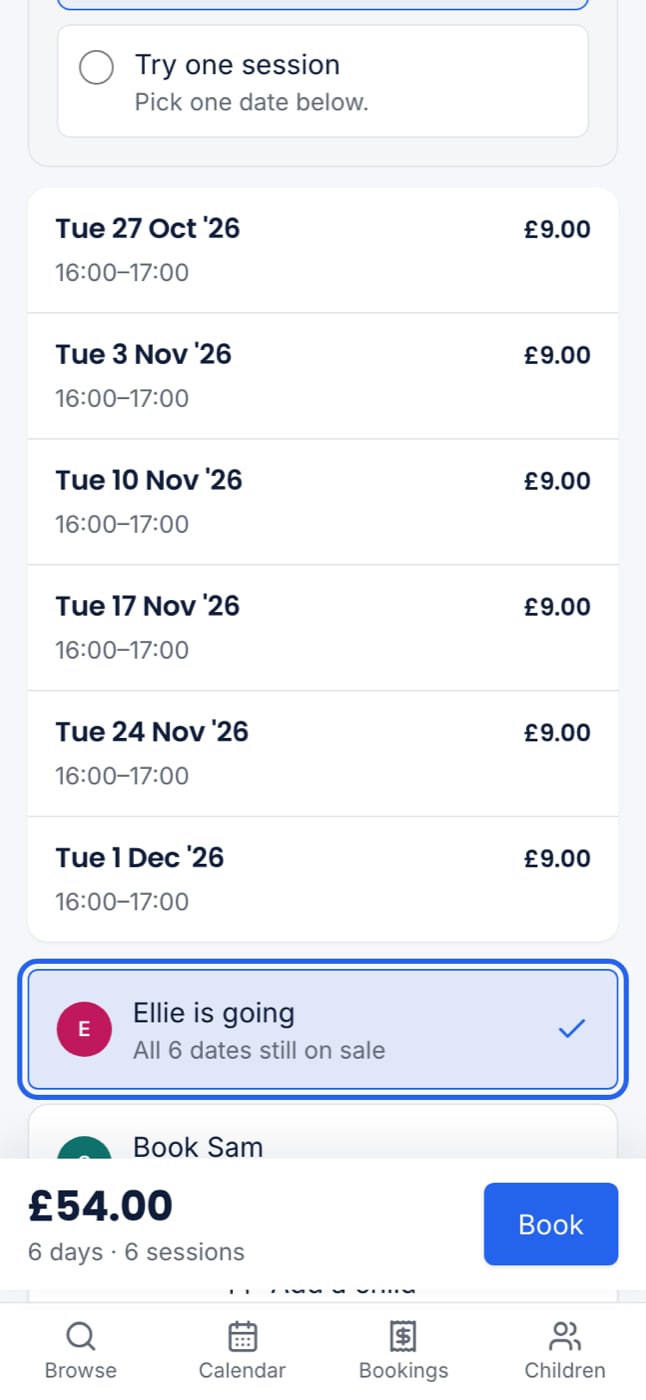
Open the programme from your club’s page. Under Who is going? it says “This is booked as a whole block: every date below, or none.” The dates are listed for you to read, each with its time and price, but you cannot tap them. Beneath the dates is one choice per child:
  1. Press Book with your child’s name, for example Book Jo. It then reads Jo is going.
  2. Repeat for any other children who are going.
  3. Check the total at the bottom, for example “£30.00 · 2 days · 2 sessions”, and press Book.
If only one of your children can go, they are already chosen, so you can go straight to Book.
Who is going? on a phone, with the dates listed, Ellie chosen for all six, and the block total of £54.00 at the bottom
Your places are held for 30 minutes while you check out in your basket.

Extras

If the block sells extras, such as late pickup, a chosen child has Add extras for their name. It opens the same extras as a single day, with a switch to add an extra to every date.

Joining part way through

The block is always the dates still on sale. If you book after the first week has passed, you book and pay for the dates that are left. If your child already holds some of the dates, for example from a trial, those are left out and the rest go into your basket. If they already hold every date, you see “Jo already has a place on every date”, and nothing more is added.

If the block is full

A block that is full on any one date cannot be booked, because it is sold whole. You can join the waiting list. You are emailed only when every date has a place again.

If a child cannot go

If the programme is not for one of your children, for example because of their age or school, that child’s choice says so and cannot be chosen.