

My account holds your details, any credit the club owes you, the club’s terms and your email settings. Open it from the menu at the top of the page.

What you see

At the top: your name and the email address you sign in with. If the club owes you credit, it says so here, for example “£12.00 credit, taken off your next booking automatically”. Below that:
  • Your details: what the club asks about you, such as your phone number and address. Change anything and save it. If the club asks nothing beyond your name and email, the page says so.
  • Your children: each child, as a link to their page. Manage takes you to Children.
  • The club’s terms: the terms you agreed to when you booked.
  • Emails from your club: whether you get booking emails. See Emails from the club.
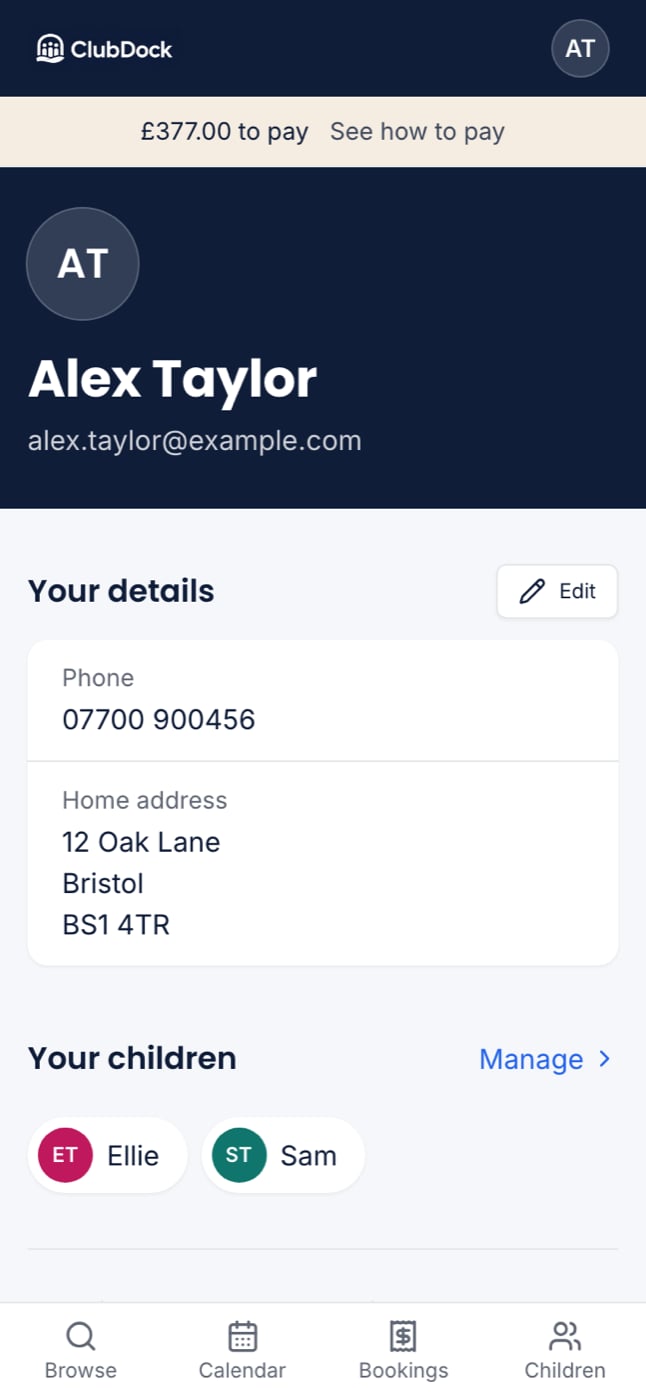
My account at 375px showing the navy plate with your name, and Your details below

When the club updates its terms

If the club publishes new terms, you see “The club has updated its terms. Accept them to keep booking.” Read them and accept them here, or when you next book. Your existing places are not affected.

Your sign-in email

You sign in with a code sent to this email, so there is no password to remember. See Finding your club and signing in.

Delete your account

Delete my account is at the foot of the page, under Leaving.
Deleting your account removes your name and address. Your children’s records and your past payments stay with the club, because the club needs to keep them. Any accident reports about your children also stay with the club.
Before you delete your account, cancel any places still to come and pay anything you owe. If you only want to stop booking emails, switch them off instead.