Find your bookings
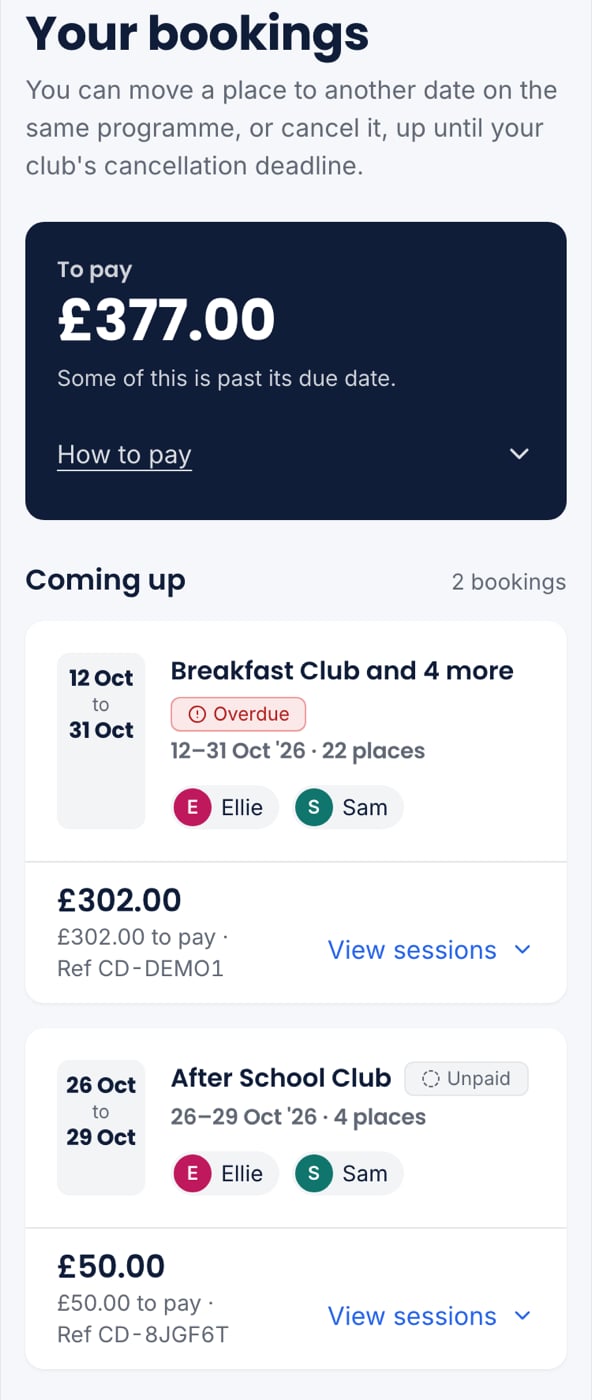
Tap Bookings. Your bookings are in two groups:- Coming up: every booking with a place still to come, the soonest first.
- Finished: bookings where every place has happened or been cancelled, the most recent first.
What a booking card shows
- The dates, large: the day for a single place, or when a run of places starts and ends. Fourteen Wednesdays reads as “9 Sep–16 Dec · 14 places”.
- Who it is for: each child’s first name on their own colour.
- The total, and whether it is paid. This is said in words and with an icon, not only by colour.
- What is left to pay, and the booking’s reference to quote.
- Any charges the club added, such as late collection, as a line above the total.
A booking you have finished with but still owe money on stays under Finished, still saying what is left to pay.
Open a booking’s sessions
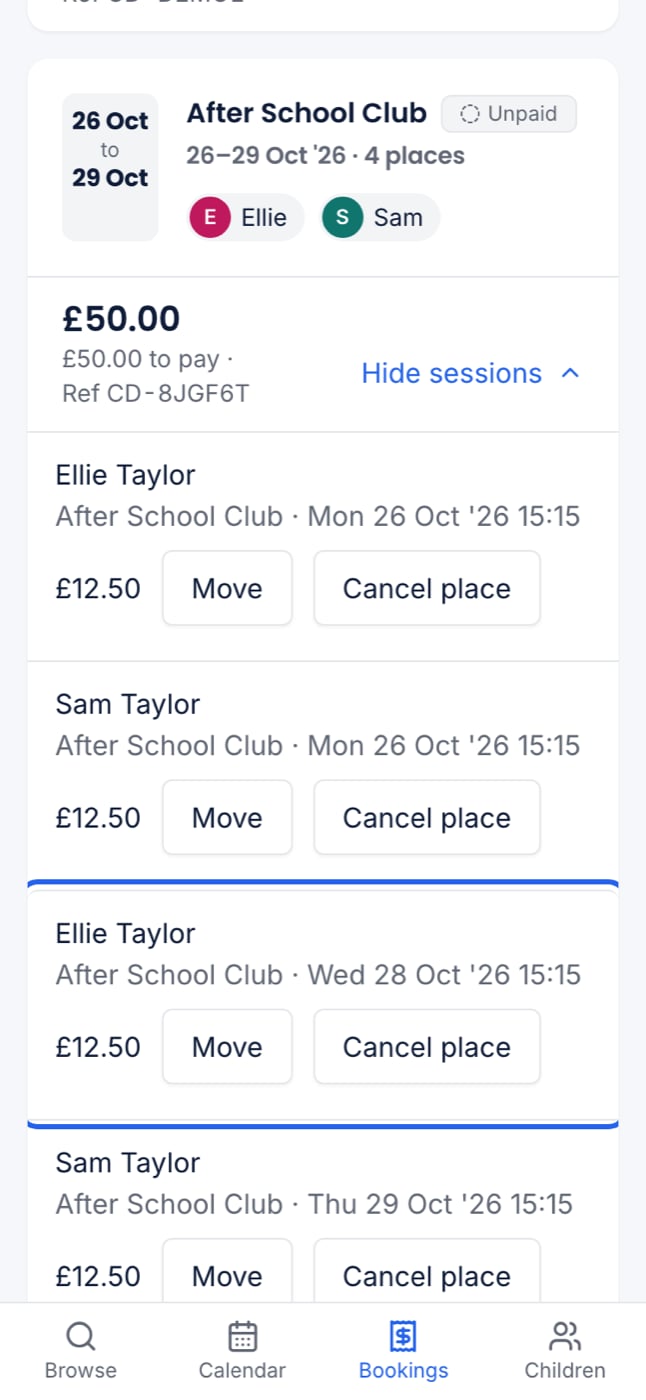
Press View sessions to see every place on the booking. Press Hide sessions to fold them again.- Places still to come have Move and Cancel place.
- Places that have already happened say Already happened.
- Places you cancelled are crossed out and say Cancelled.