

How long places are held
Places in your basket are held for 30 minutes, and the countdown is shown. Nobody else can take them while they are held. If you leave places in your basket and they run out, you may get one email about an hour later listing any of those places that can still be booked. The places are not held for you, so they go to whoever books first. You can turn these emails off; see Emails from the club.Check what is in it
Your places are grouped by child, with each date, session and price. Extras are listed under each place, so the figures add up to the total.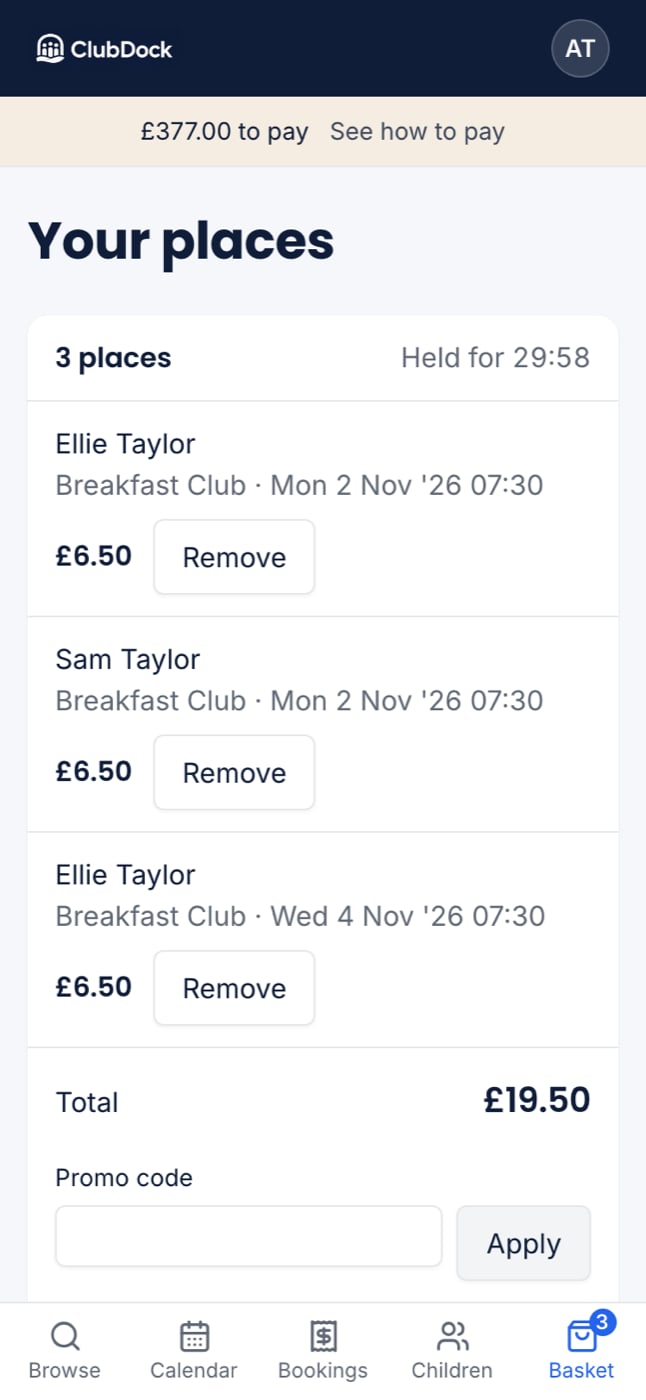
- Change the extras on a place: press Edit on the place. Your place stays held while you change it.
- Change the date: remove the place and book the other day from the programme.
- Empty the whole basket: press Empty basket, at the bottom. You are asked first, and nothing has been booked or charged.
Discounts and promo codes
Discounts your club offers, such as for more sessions or a second child, are worked out for you and shown in a Discounts row. If you have a promo code, enter it in the box above how to pay and press Apply. Capitals and spaces do not matter. You can use one code per booking. Press Remove to take it off.
If a code stops working while your places are in the basket, for example because it ends at midnight, the basket says why and shows the total without it. You are never booked at a price you were not shown.
Account credit
If you have credit with the club, it is used automatically and shown as Credit applied. It is never more than the total. If it covers everything, there is nothing to pay. Press Confirm booking to book.Before you pay: the cancellation rule
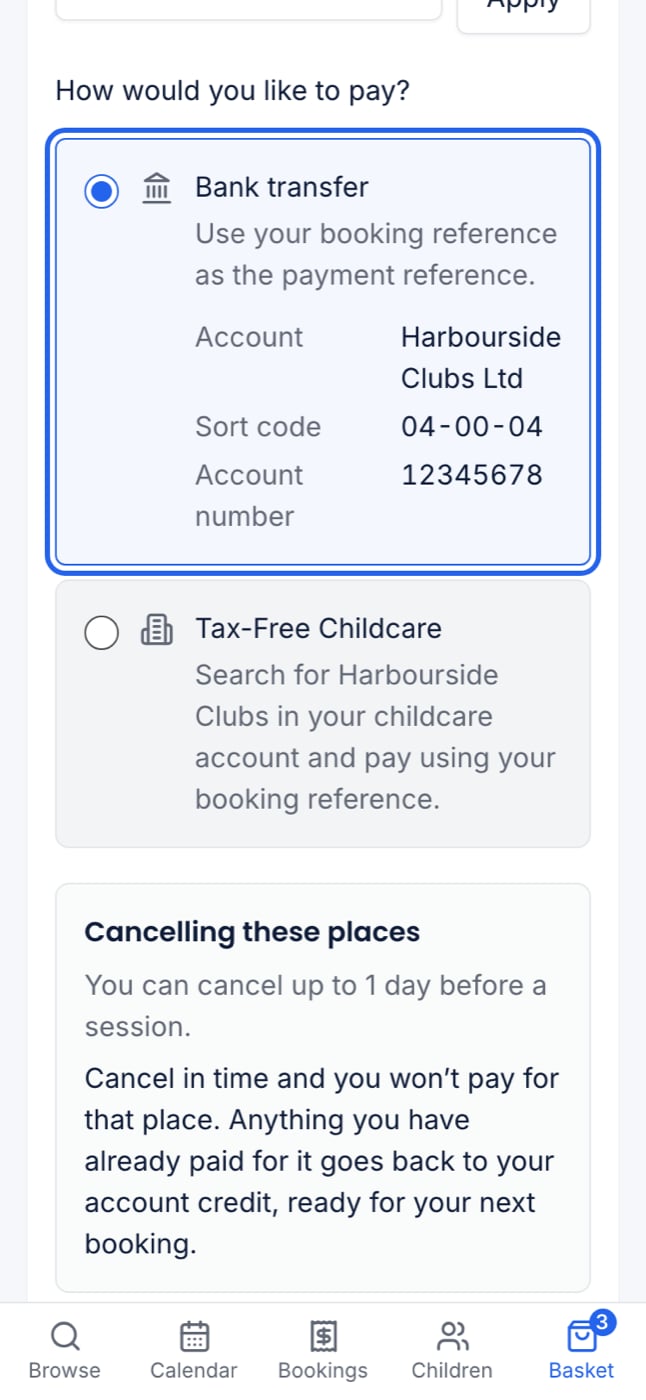
Above the pay button, the basket states your club’s cancellation rule. It also says what happens to the money if you cancel in time. Read it before you confirm. If your basket has term-time and holiday places with different rules, both are shown.Choose how to pay
You see the ways your club accepts, with the club’s own instructions. Only ways that work for everything in your basket are offered.- Card, Apple Pay or Google Pay. Press Continue to payment to pay now. See Paying by card.
- Tax-Free Childcare. If a child has no Tax-Free Childcare reference yet, you are asked for it here, one box per child. See Paying with Tax-Free Childcare.
- Bank transfer, childcare vouchers or cash. Choosing bank transfer shows the club’s bank details. Press Confirm booking and your places are booked straight away. You then pay the club by the due date.
After you confirm
You see a confirmation with your booking reference, every place booked, what it cost, what you have paid, what is left and when it is due. You also get an email from your club with the same details, plus the programme’s What to bring and Need to know. If anything is left to pay, the email links to what you owe and how to pay.If a place cannot be booked at checkout
- Someone else booked the last place first. That place is refused and named. Remove it and confirm the rest.
- A session started before you confirmed. It cannot be booked once it has begun.