This week
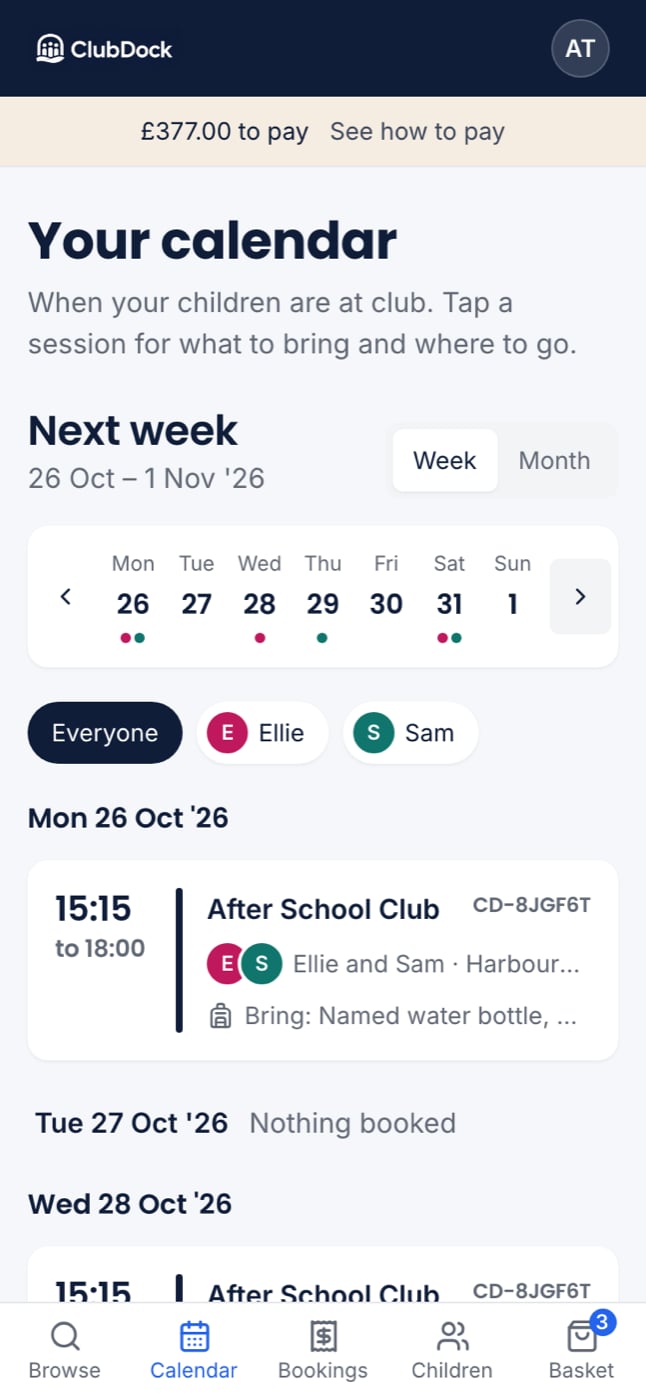
Tap Calendar. You see this week as a list:- A strip of the seven days across the top, Monday first, with today marked. Tap a day to jump to it.
- Each day in turn, with a card for every session. A day with nothing on says Nothing booked.
- Days already gone this week are folded into Earlier this week, so today is at the top.
Only one child
With two or more children, buttons at the top let you choose Everyone or one child.Other weeks
Use the arrows, or Next week at the foot of the list.The month
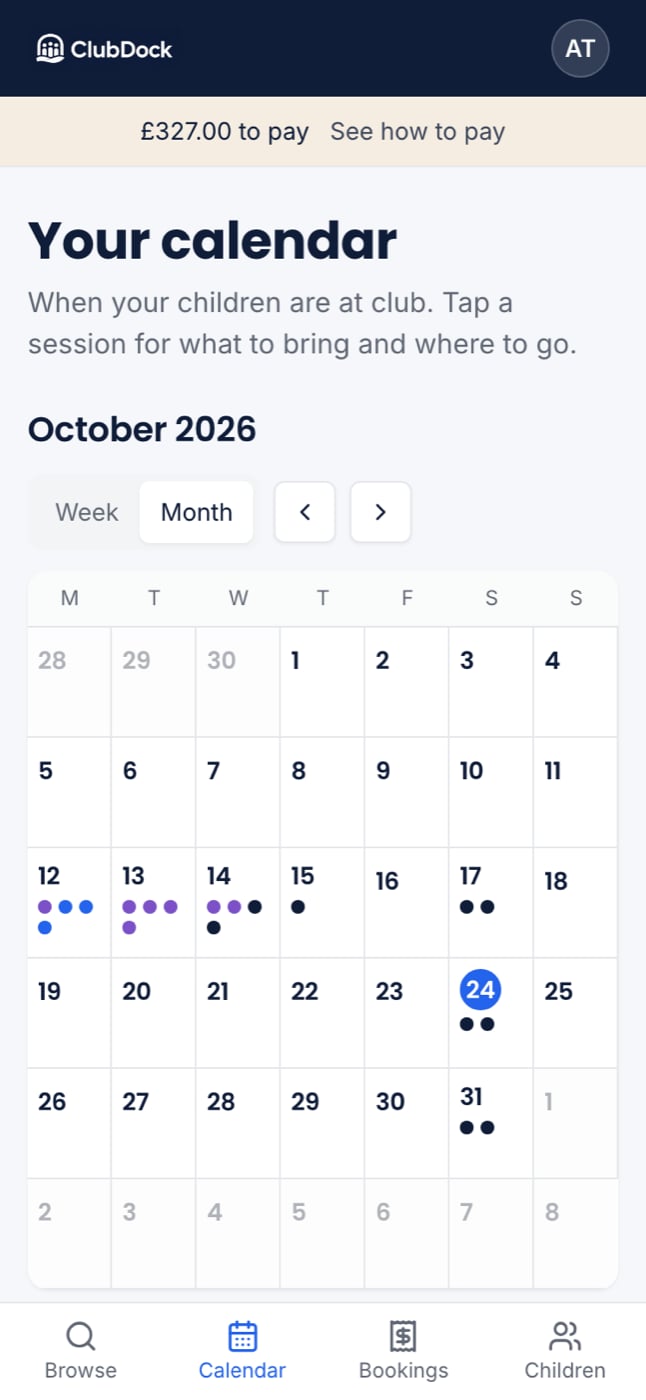
Switch to Month to see the whole month, Monday first, with today circled.- On a phone, each child is a coloured dot. On a computer, their names are shown.
- A busy day shows +2 more rather than hiding anyone.
- Tap a day to open that week, scrolled to that day.
Open a session
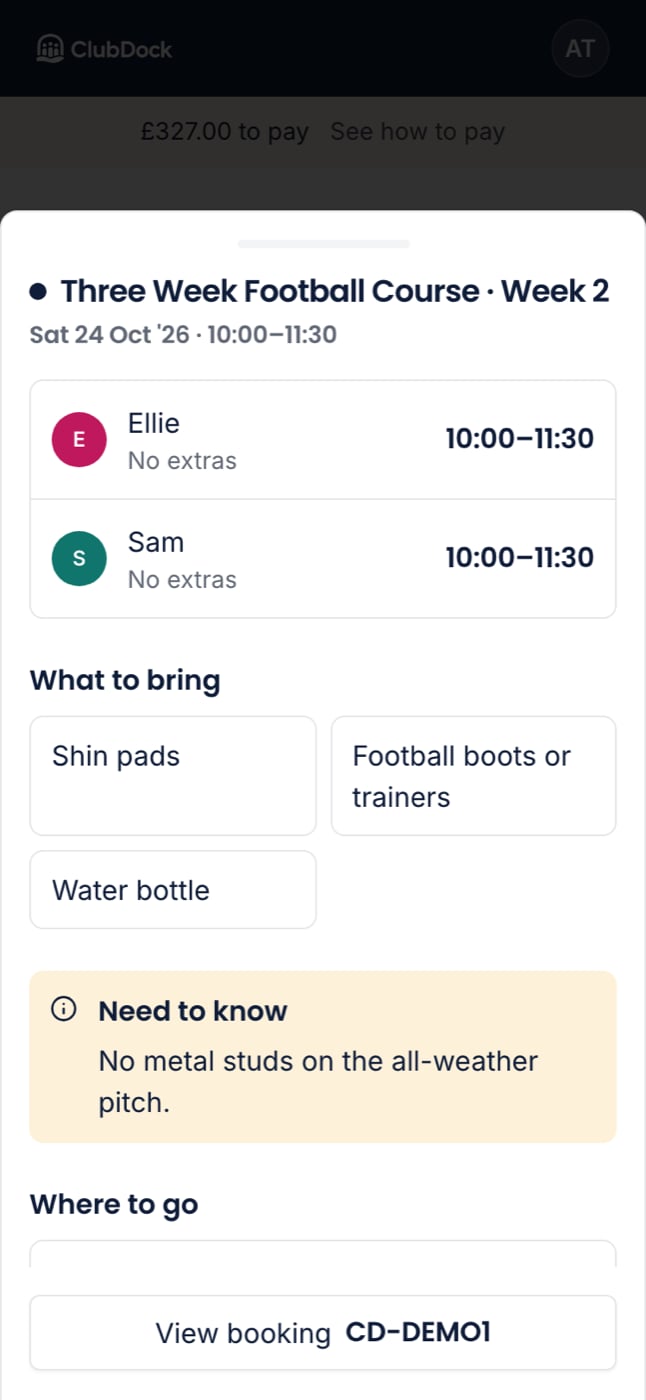
Tap a session’s card to see everything about it:- Each child going, with their own hours and any extras, such as “Late pickup, £4.00”.
- What to bring, in the club’s own words.
- Need to know, such as “We are a nut-free site”.
- About: what the children do, as the club describes it.
- Where to go: the address, a map link and how to find the room.
- View booking, which opens that booking on Bookings, where you can move or cancel.