

Emails that always arrive
You cannot switch these off, because they are about places you have booked and money you owe or are owed:- Your booking confirmation, with how to pay if you have not paid yet.
- Payment received, each time you pay online. It shows how much, how and which bookings it paid for.
- Payment reminders, if money is due or overdue.
- Cancellations: when you cancel a place, and when the club cancels a session, with what happens to your money.
- Moves: if moving a place means you owe more.
- Accident and incident reports about your child. If your child’s parents each have their own account, each parent who can book gets one.
- Messages from the club: news the club writes to families who have places, such as a change of venue or a closure. These arrive even if you have switched off booking emails.
- Waiting lists: when a place comes up on a date you are waiting for. See Waiting lists.
Booking emails you can switch off
Booking emails are about booking more, not about what you have booked:- when booking opens for a programme
- a reminder before booking closes
- a follow-up after a trial session
- a reminder about places left in your basket
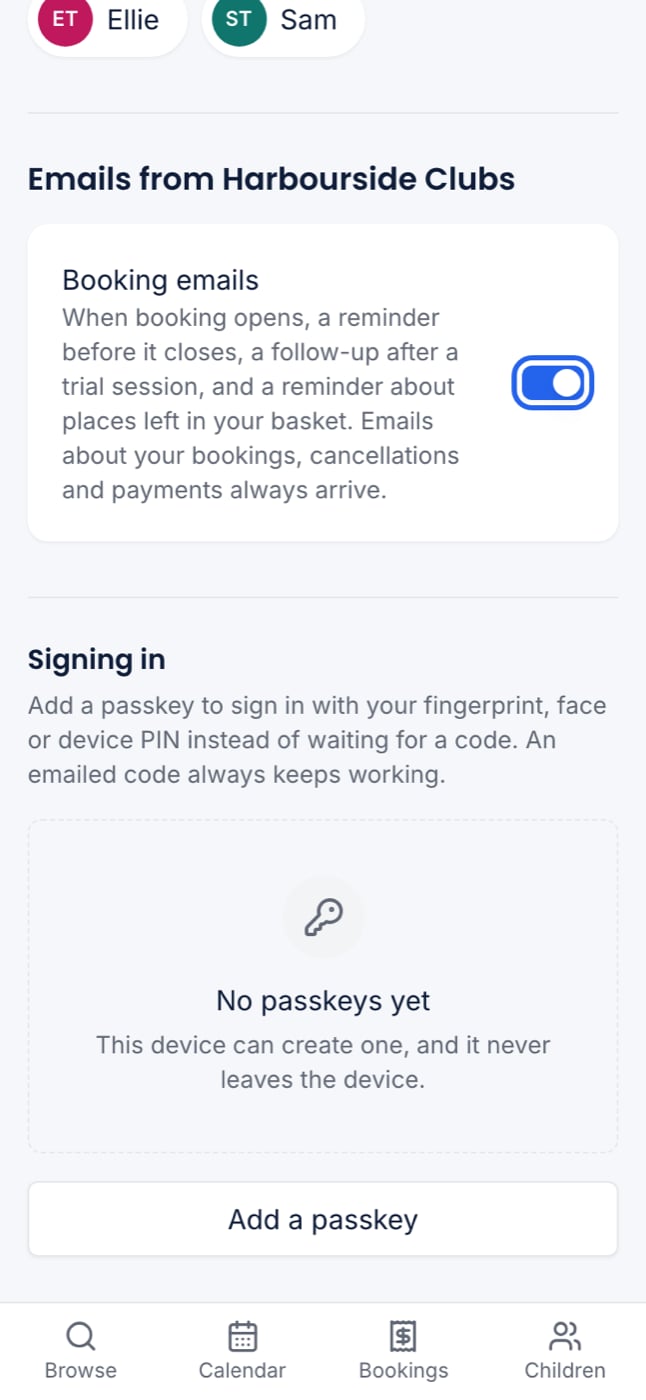
Switching off booking emails stops only those. You still get everything about your bookings, payments and your child.
Replying to the club
Reply to any email from the club and your reply goes to the club’s contact email. If the club has not set one up, the email says replies are not read and tells you to contact the club directly.Not getting emails?
- Check your spam or junk folder, and add the club’s name as a safe sender.
- Check the email address on My account. It is the one you sign in with.
- If you switched off booking emails, you will not get “booking is open” emails. Turn Booking emails back on.