

Only a Manager can connect or disconnect accounting software.
What changes once you connect
Card and Tax-Free Childcare payments taken through ClubDock Pay are still recorded by ClubDock, and sent to the booking’s invoice for you.
What it costs
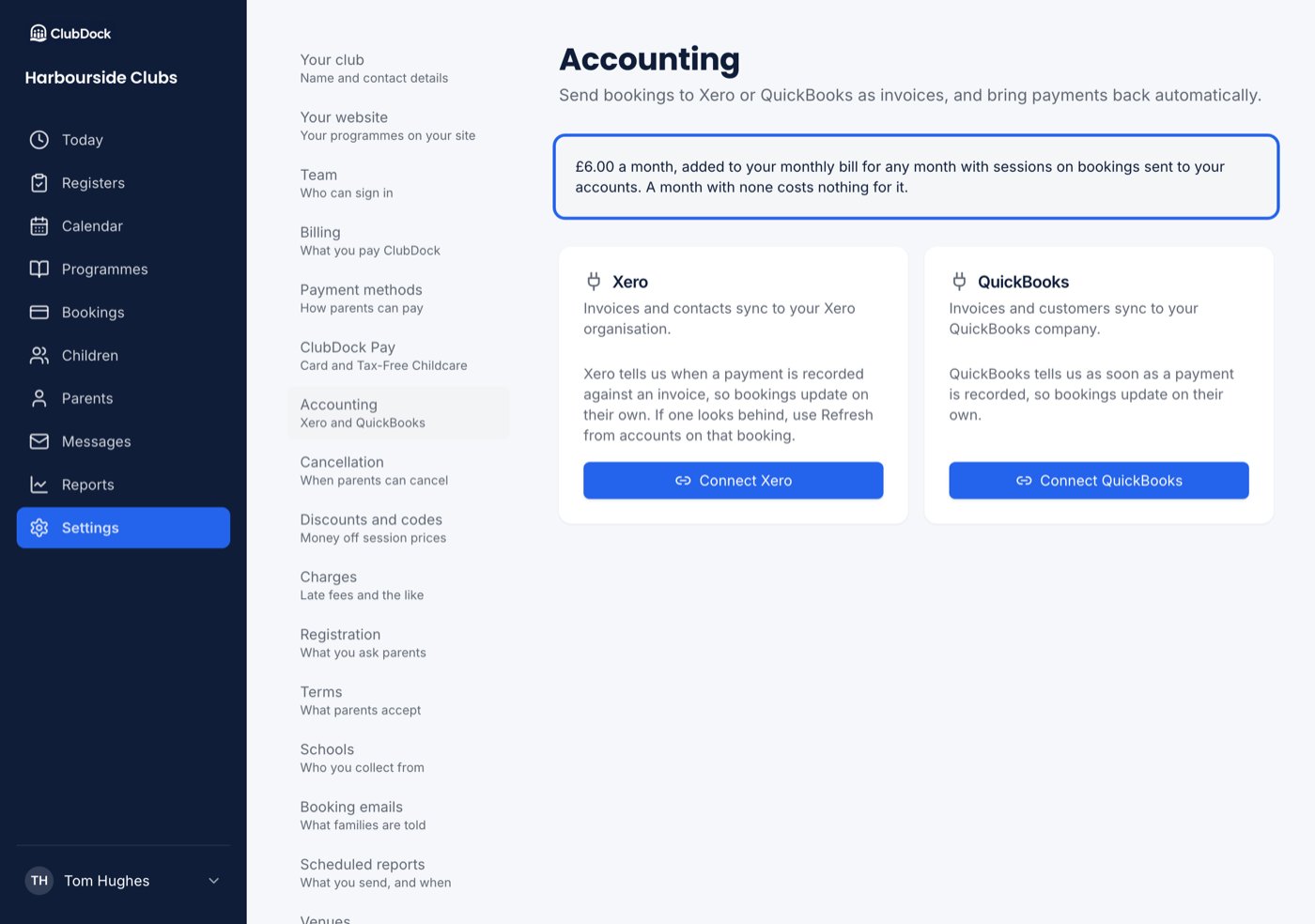
On monthly bills, connecting costs £6.00 a month, added to your ClubDock bill for any month with sessions on bookings sent to your accounts. A month with none costs nothing for it. There is no trial. The price is shown on Settings → Accounting before you press anything. A club on a deal arranged by hand with ClubDock is not charged, and the screen shows no price.Connect
1
Open Accounting
Go to Settings → Accounting.
2
Choose your software
Press Connect Xero or Connect QuickBooks.
3
Agree to the price
The first time, you are asked, for example, “Connect Xero for £6.00 a month?”. Press Agree and connect Xero. Cancel connects nothing. You are not asked again if you later disconnect and reconnect.
4
Authorise ClubDock
Sign in at Xero or QuickBooks, choose your organisation or company, and allow access. ClubDock asks only for the permissions it needs. You come back to ClubDock, which shows Connected to and your organisation’s name.
5
Choose your accounts for ClubDock Pay
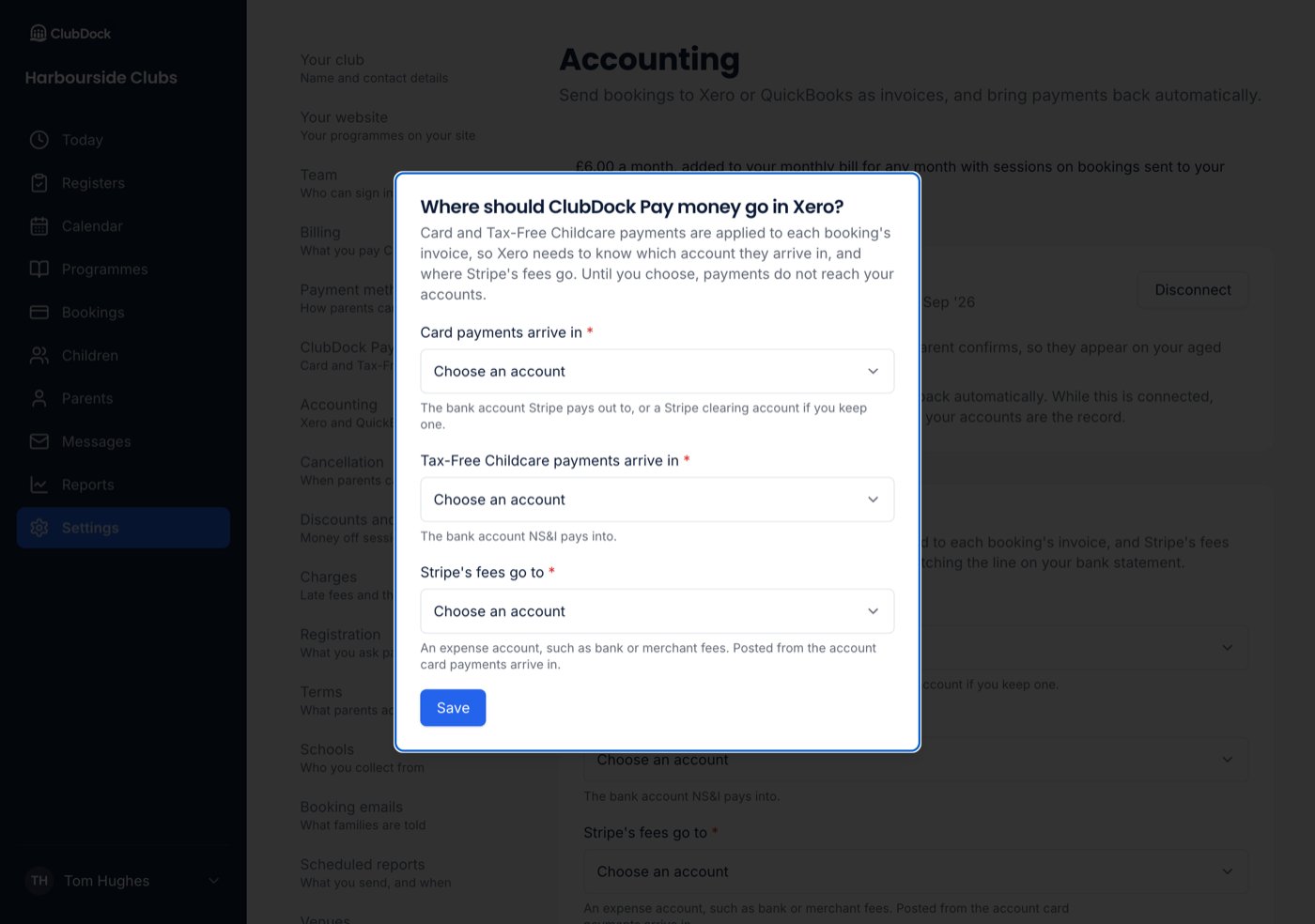
A dialog asks where card payments arrive, where Tax-Free Childcare payments arrive, and where Stripe’s fees go. See below.
Choose where ClubDock Pay money goes
So that card and Tax-Free Childcare payments can be applied to invoices, ClubDock needs three accounts from your chart of accounts:- Card payments arrive in: the bank account Stripe pays out to, or a Stripe clearing account if you keep one.
- Tax-Free Childcare payments arrive in: the bank account NS&I pays into.
- Stripe’s fees go to: an expense account, such as bank or merchant fees.
How payments come back
- Xero tells ClubDock when a payment is recorded against an invoice, so bookings update on their own. If one looks behind, use Refresh from accounts on that booking.
- QuickBooks tells ClubDock as soon as a payment is recorded, so a booking updates within a minute or so.
Switching to the other software
You can connect only one at a time. Connecting the other replaces it, and ClubDock forgets every invoice, credit note and payment it sent to the old one. Bookings show as not yet sent, and they are raised again in the new software. Reconnecting the same software and the same company forgets nothing. Reconnecting the same software but a different company counts as a move. Your three ClubDock Pay accounts are cleared too, and you choose again.Disconnect
- Go to Settings → Accounting and press Disconnect.
- Confirm. New bookings stop reaching your accounts. Nothing already sent is removed.