

How credit arises
A place cancelled before it was paid for creates no credit. Its price simply comes off what the family owes, so their next booking is charged in full.
How credit is spent
Credit is spent automatically on the family’s next booking, oldest first, and shown as applied. They are never asked to pay money your club already owes them. Card or Tax-Free Childcare covers only the rest. You can see a family’s credit on their parent record. See A family’s records.Issue a credit note
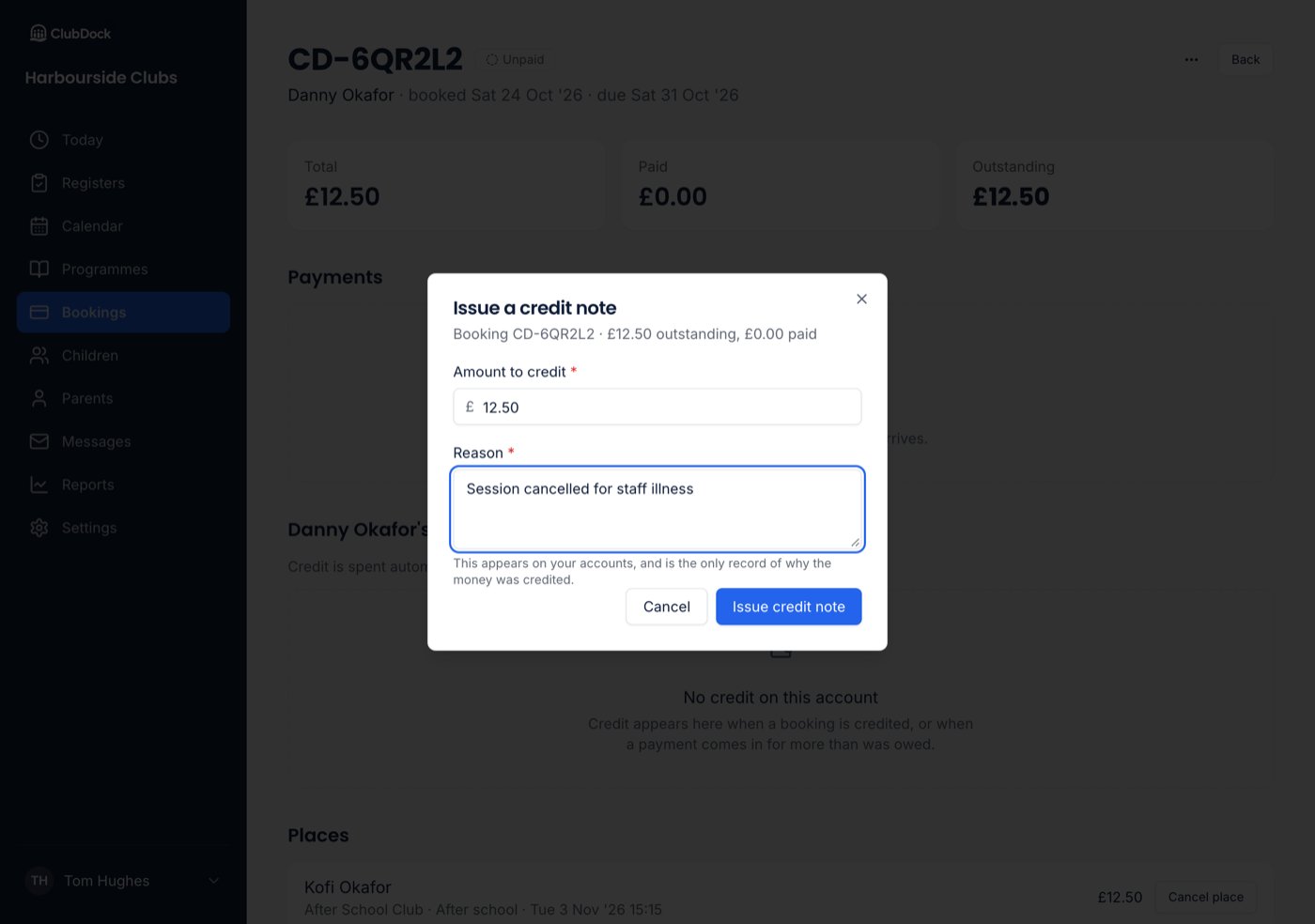
Use a credit note for a goodwill gesture, such as a session that did not go as it should.Only a Manager can issue a credit note.
- Open the booking and, in its menu, choose Issue a credit note.
- Enter the Amount to credit and a Reason.
- Confirm with Issue credit note.
Refund credit
Only a Manager can refund credit.
1
Open the refund
Choose Refund credit in the booking’s menu, or Refund beside the credit.
2
Choose how it goes back
Back to their card or I have paid them another way. See below.
3
Enter the amount and a reason
Enter the Amount to refund and a Reason. You can refund part of the credit; the rest stays on their account.
4
Confirm
Press Refund to card or Record refund, then confirm.
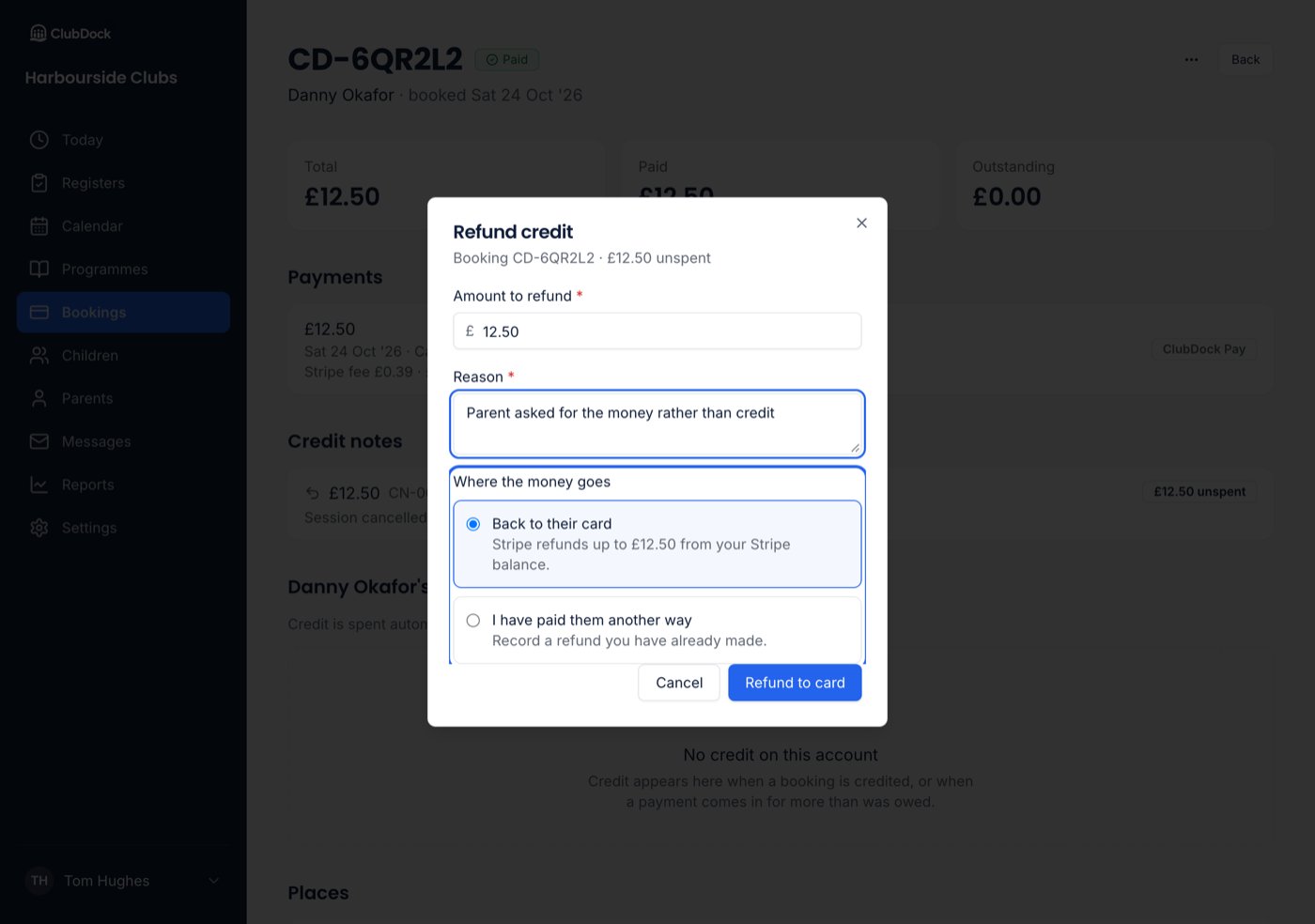
Where the money came from decides how it goes back
With I have paid them another way, ClubDock only records the refund. You move the money from your own bank.
What is refused
- More than is left of the credit, or more than was paid by card. Refused before anything moves, naming both figures.
- Credit that has already been spent. What remains is worked out at the moment of the refund, so the same money cannot be spent and refunded.
- Pressing twice. It makes one refund, not two.
- A closed club. It cannot refund. Its card payments and their records stay as they were.
With accounting software connected
With Xero or QuickBooks connected, a refund is not sent to your accounts. After you record it, the dialog says Now refund it in Xero (or QuickBooks) and gives you the reference to search for there: the booking reference (CD-…) for credit from cancelled places, or the credit note number (CN-…) for credit issued by hand.
Refunds made in Stripe
If you refund a card payment in your Stripe dashboard instead:- After cancelling the places in ClubDock. It is recorded as a refund of that credit.
- Without cancelling anything. The booking shows as owing that money again, so ClubDock never says a parent paid money they have had back.