

Staff and Managers can both book for a family.
Before you start
- The family has an account with your club, and their children are on it.
- The programme is on sale, or was taken off sale but still has dates running. A programme that was never published cannot be booked.
- The child can be booked by their parent: terms accepted, details complete, and not waiting for approval. You cannot book around these. See what stops a child being booked.
Book the places
1
Open the family
Open the parent’s record and press New booking in the navy header. It is also on the Bookings tab, including when the family has no bookings yet.
2
Choose the programme
Pick from the programmes on sale. Those taken off sale with dates still running are marked “off sale to parents”.
3
Pick the places
The parent’s own planner opens, with this family’s children. Days a child already has are marked Booked. Pick the sessions for each child.
4
Review
Press Review booking. Nothing is booked yet. You see the number of places, the total at today’s prices, what the family’s credit covers, and what is left to pay.
5
Choose how they will pay
Choose one of your pay-later methods that every programme on the booking accepts. The first is chosen for you.
6
Book
Press Book.
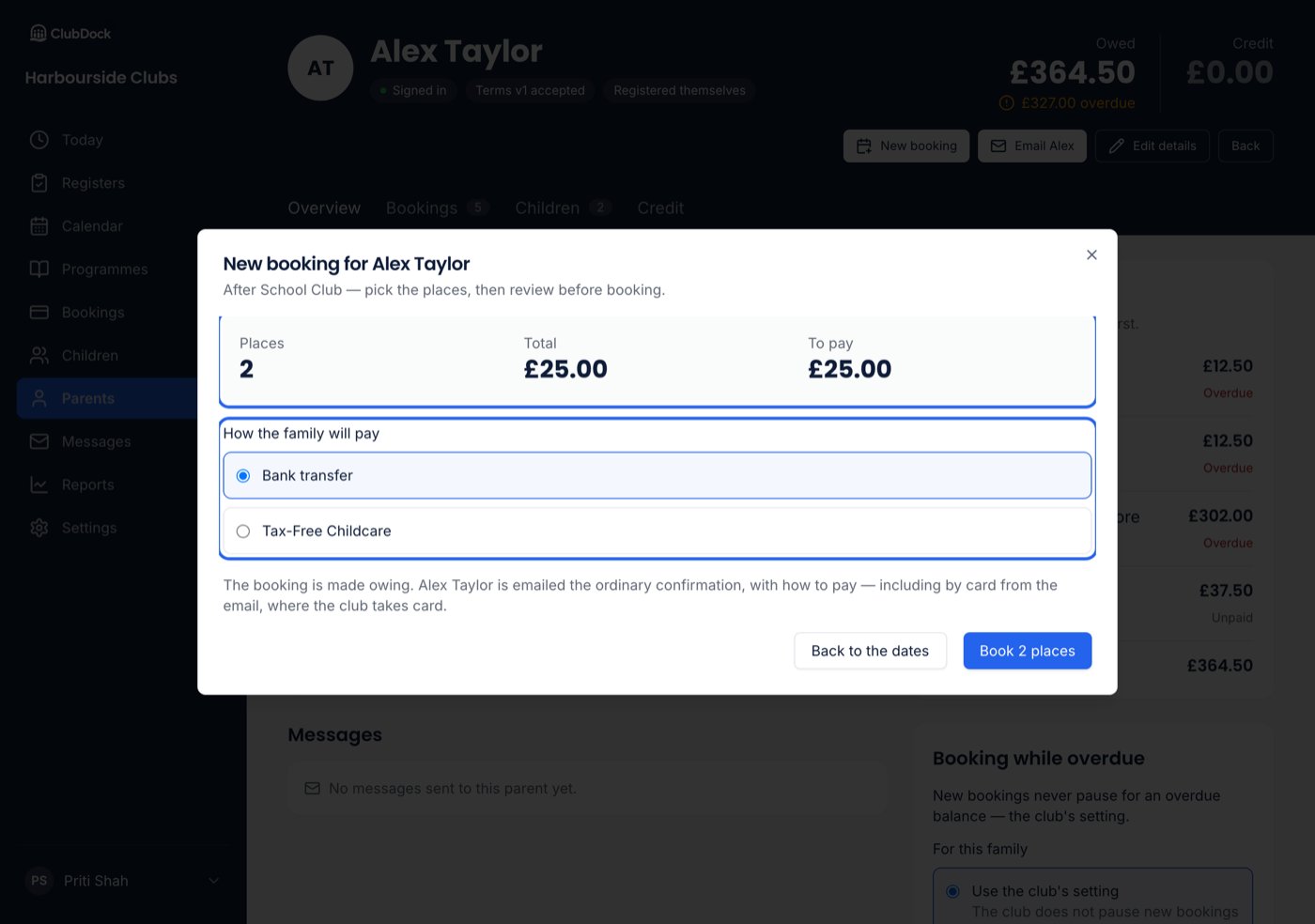
What happens when you book
- One booking is made for the family, recorded as made by staff and by you.
- Any credit the family holds is spent on it.
- The due date and reminders follow your club’s own rules.
- The parent and the club are each emailed the usual booking confirmation.
- With Xero or QuickBooks connected, the booking goes to your accounts like any other.
Discounts
Multi-session and brothers-and-sisters discounts apply as they would for the parent, and the review says what came off — “£22.80 off the total: 10% off 3 or more sessions, 10% off a second child”. Promo codes do not apply, because parents enter those themselves.Paying
Card is never offered here. Staff never take card details. Where your club takes cards, the parent can pay by card from their booking confirmation.
- If you choose Tax-Free Childcare for a child with no Tax-Free Childcare reference, it is refused, naming the child. The parent adds the reference to the child’s details, or you choose another way to pay.
- If your club has no ways to pay set up at all, the booking is still made and the confirmation says the club will be in touch about paying.
Full, closed and started sessions
You are recording what the family needs, so you can pick dates a parent could not:- A full session. The square says Full under its +. Before you book, you are told: “After school on Tue 6 Oct is full — booking Ava will make it 16 places.” When you book, the session’s limit rises to fit. Places other families hold in their baskets are untouched, and parents still see the session as full.
- A date closed to parents, or already started. You can still pick it.
- A child outside the programme’s ages, or already booked at an overlapping time. Allowed.
A family that is overdue
If the family’s own bookings are paused because a balance is overdue, you see a warning, not a refusal: “This family has £48.00 overdue, due on Tue 1 Sep. Their own bookings are paused until it is paid — booking for them is your call.”A child who cannot be booked
A child whose parent could not book them is shown greyed, with the reason beside their name, such as “Accept the club’s terms and conditions”. Nothing offers to fix it:- Only the family can accept your terms or fill in missing details.
- A child waiting for approval is approved from their record. See Rules, warnings and approvals.
If something goes wrong
- A session was cancelled between the review and Book. Nothing is booked, not even the other places. Check the dates and try again.
- You press Book twice, or the place was booked a moment ago. Only one booking is made.
- Your club’s ClubDock subscription is overdue. The club is read-only, and new bookings are refused. See Your ClubDock subscription.