

Create your club
1
Open the signup form
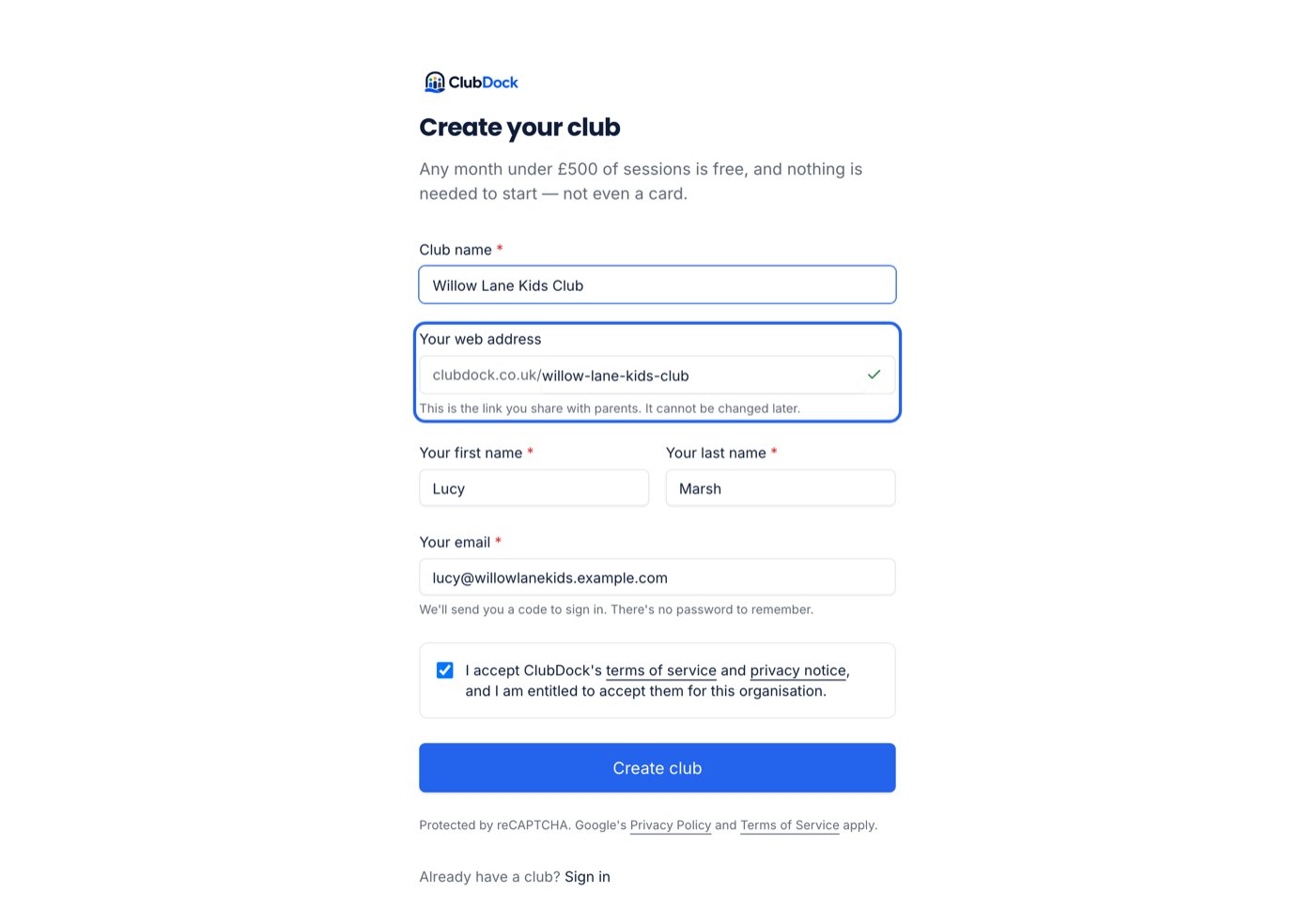
Go to clubdock.co.uk and choose to create a club. The form is headed Create your club.
2
Name your club and choose its web address
Type your club’s name. ClubDock suggests a web address from it — “Sunshine Clubs” becomes
sunshine-clubs — and checks it as you type. Change it if you like.This is the link you share with parents, clubdock.co.uk/sunshine-clubs. It cannot be changed later, so choose carefully.3
Add your name and email
Your first name, surname and email. You become the club’s first Manager.
4
Accept the terms
Tick the box to accept ClubDock’s terms of service. Create club stays greyed out until you do.
5
Enter your code
Press Create club. We email you a six-digit code. Type or paste it into Your code. The sixth digit sends it, so you don’t need to press anything else.
Things to know
- Nothing exists until you enter the code. Your club, and its web address, are only created when you prove the email is yours. Until then the address is free for anyone.
- The code lasts ten minutes, and your signup thirty. If you wait longer than thirty minutes you are asked to start again, and what you typed is still on the form.
- A name that matches a page on our site — “App” or “Pricing”, say — is offered with a number on the end, such as
app-2. Otherwise your parents would reach our page instead of your club. - A web address someone else has is refused before you submit.
- You can run more than one club. Signing up again with the same email gives you a second club on the same account.
If something goes wrong
What your new club starts with
- One venue, named after your club. Add its address in setup.
- Registration questions for parents and children, ready to check. See Registration questions.
- Monthly bills, and nothing to pay yet. A month costs nothing unless its sessions come to £500 or more. See Your ClubDock subscription.