

Only a Manager can open Settings → Your website.
Get the snippet
1
Go to Settings → Your website
Nothing on this page needs saving. The snippet carries everything.
2
Choose what to show
Under What to show, choose Everything on sale, or one programme. Only programmes that are published and have dates ahead are offered.
3
Copy the snippet
Under The snippet, press Copy snippet. If your site builder asks for a web address instead of code, press Copy address.
4
Paste it into your website
Put it where you want the list to appear. The page has instructions for Wix, Squarespace, WordPress and Anything else.
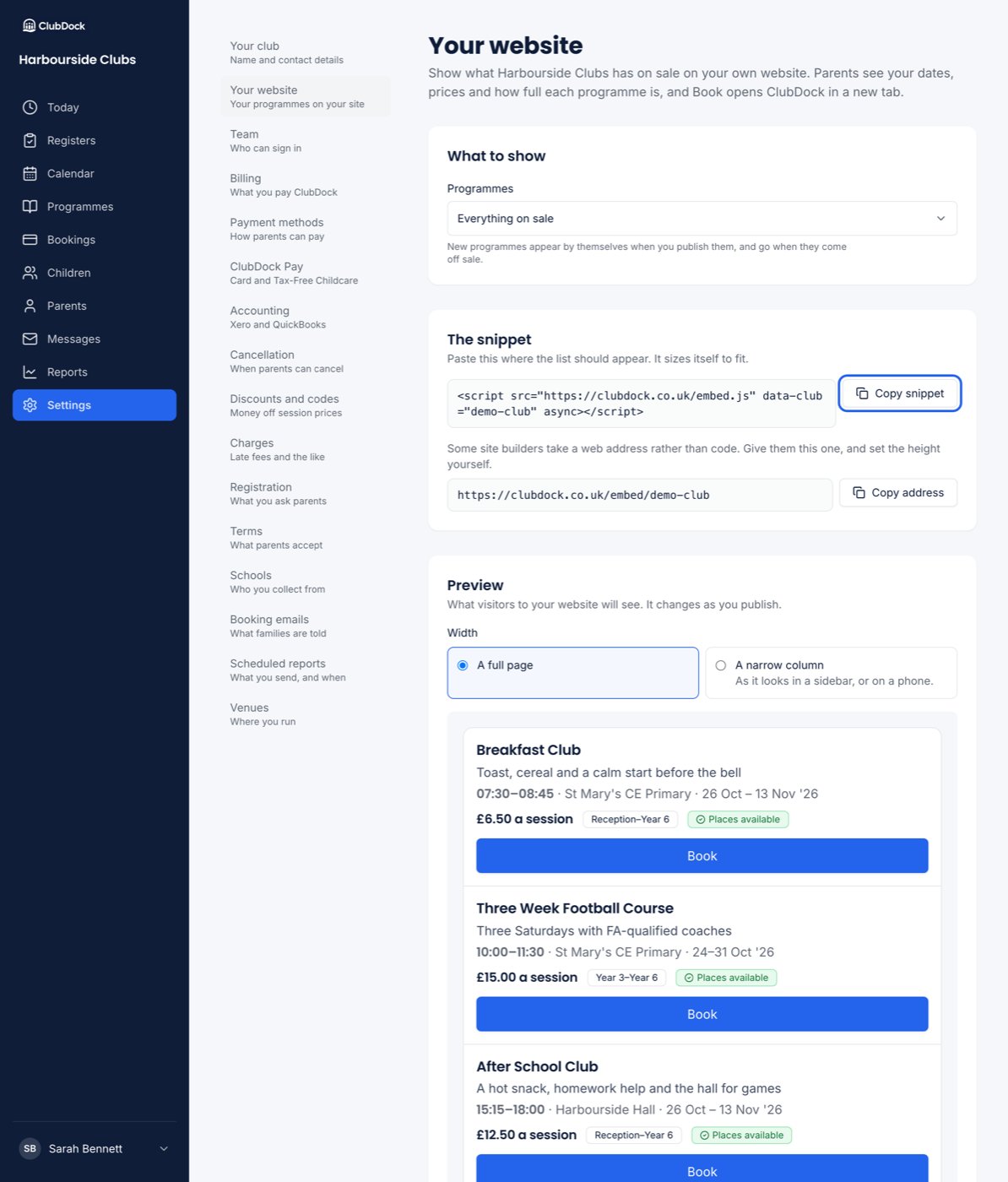
Preview it
The Preview on the page is the widget exactly as a visitor to your site sees it. Switch Width between A full page and A narrow column to see how it looks in a sidebar or on a phone.What visitors see
The same rows as your club page, in the same order: the time, venue, dates, today’s price with any early bird price and discounts, who it’s for, and whether places are available, limited or sold out.- The widget grows and shrinks to fit the list, so there’s no scrollbar inside it and your site’s footer follows straight after it.
- In a narrow column or on a phone, Book sits on its own line under each programme.
- A programme that’s sold out or not open yet says See dates instead of Book. It opens the same page, where a parent can join a waiting list.
- A snippet for one programme shows that programme, with a link to see everything your club runs.