

Only a Manager can add or change cancellation policies.
Add a policy
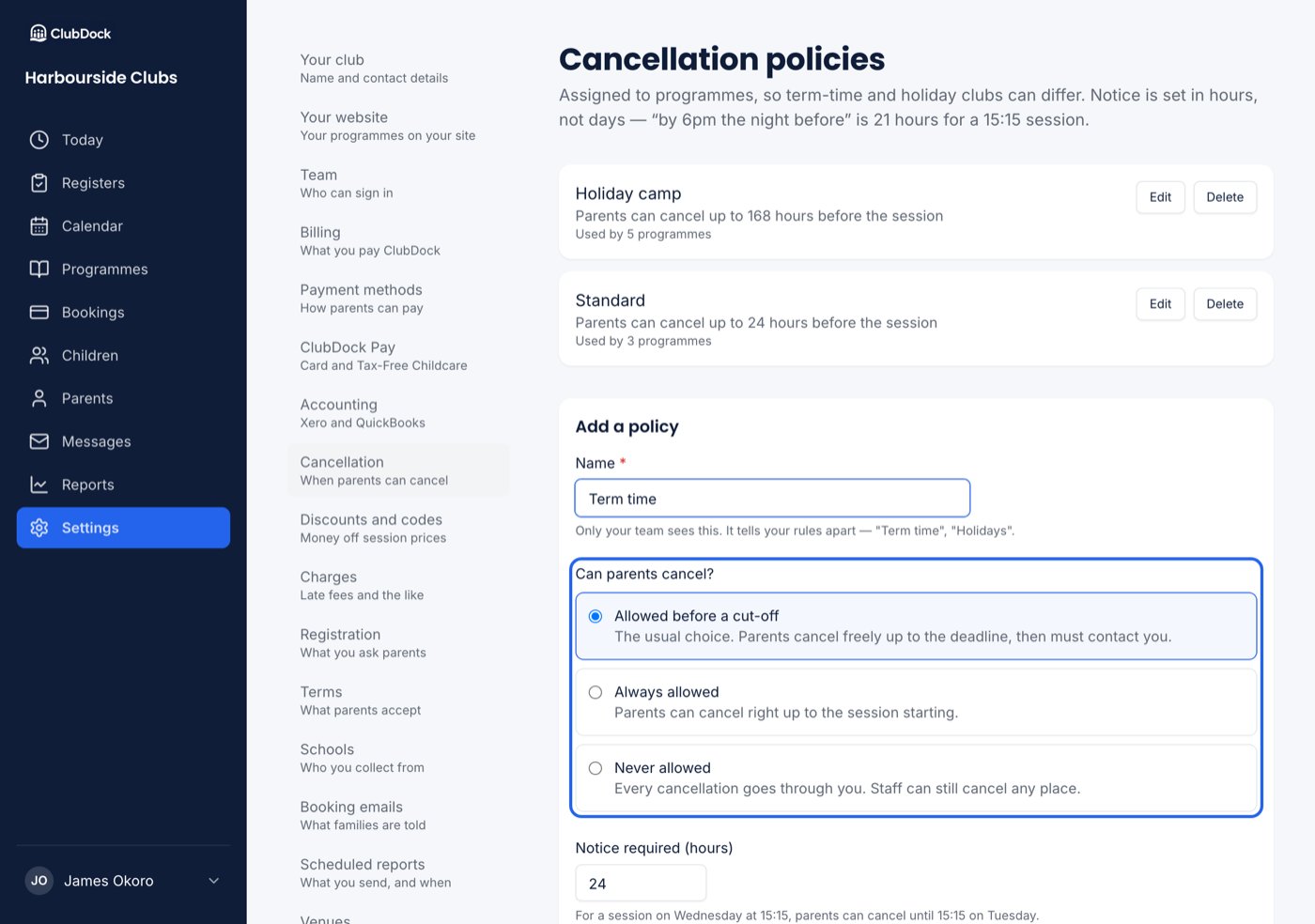
Go to Settings → Cancellation. Under Add a policy:1
Name it
Only your team sees the name. It tells your rules apart, such as “Term time” or “Holidays”.
2
Choose whether parents can cancel
Under Can parents cancel?, choose:
- Allowed before a cut-off: the usual choice. Parents cancel freely up to the deadline, then must contact you.
- Always allowed: parents can cancel right up to the session starting.
- Never allowed: every cancellation goes through you.
3
Set the notice, if there is a cut-off
Notice required (hours) is counted back from the session’s start. “By 6pm the night before” is 21 hours for a 15:15 session.
4
Press Add policy
Notice is set in hours, not days, so a cut-off like “by 6pm the night before” can be expressed exactly. A cut-off of a year is refused as a typo.