

Staff and Managers can both open Bookings. Some actions on a booking are for Managers only, as listed below.
What each booking shows
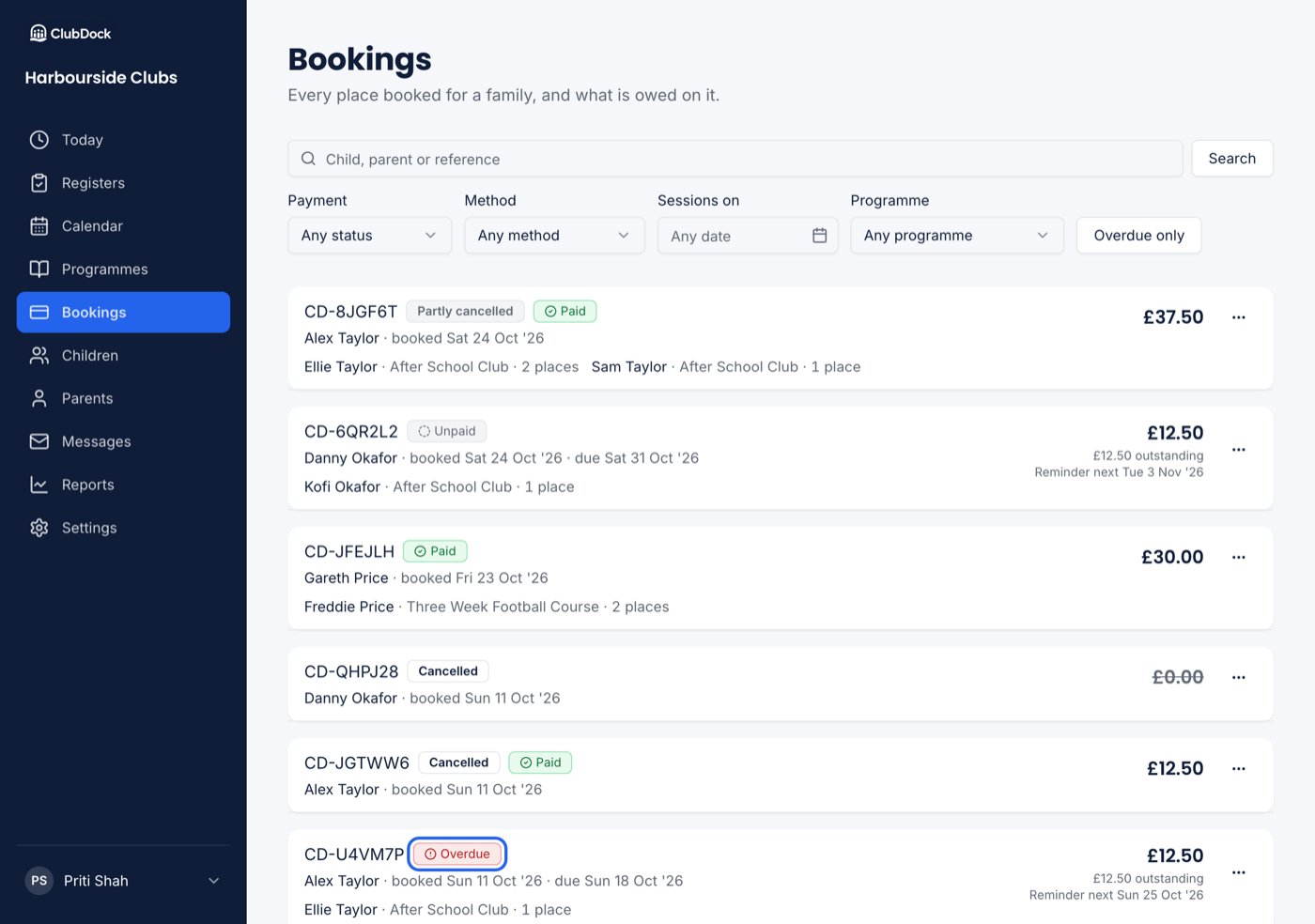
- The reference, the parent, the total and what is owed.
- Who is going to what: each child paired with each programme, and how many places that is — “Kofi Okafor · Breakfast Club · 2 places”. A child’s rows stay together, and brothers and sisters on one booking are grouped child by child.
- Its payment status: Paid, Part paid, Unpaid or Overdue, in words as well as colour.
- The due date while anything is still owed. A paid booking shows when it was booked instead.
Find a booking
Search by a child’s name, a parent’s name or a booking reference in Child, parent or reference. Then narrow the list with the filters:
All the filters apply together, so you can find Monday’s bookings that are also unpaid. Clear filters
removes them all, including the date.
A cancelled booking that still shows a balance is never counted as overdue: cancelling re-works the
total from the places left, so it owes nothing.
Open a booking
Press a booking to see it in full: its Places, Payments, any Charges and Credit notes.Actions on a booking
Press the ⋯ menu on a booking card. What you see depends on your role and the booking:
See Cancelling and changing a booking, Charges
and Credit and refunds.
With Xero or QuickBooks connected, payments are recorded in your accounting software and read back, so Record a payment does not appear. See What reaches your accounts.
When nothing shows
- No bookings yet — nobody has booked. Bookings appear here as soon as families book, or when you book for a family.
- Nothing matches these filters — press Clear filters to see everything again.