How parents join
On a full date, the parent’s planner shows Full, with Wait list under it. Tapping it explains that the place is not held and the first to book has it. Once they join, the square reads Full · Waiting, and the list appears on their bookings page, where they can leave it. Parents cannot join a list:- For a date that still has places, or is past its booking cut-off.
- For a child who already has a place that day, or who the programme is not for.
When a place comes up
A place can free up because a family cancels, a basket is abandoned or expires, a place is moved away, or you raise the session’s limit. About two minutes later, every family on the list is emailed once: “A place has come up: Breakfast Club, Fri 23 Oct, 07:30–08:45”, naming each of their waiting children, with Book now.- If the place is taken again inside those two minutes, nobody is emailed. The list is emailed the next time a place comes up.
- If two places come up and one is taken at once, there is still only one email.
- If it fills and frees again, a second email goes. Nothing more is sent while it stays open.
- After the booking cut-off, nobody is emailed, because the place cannot be booked.
- Parents who switched off your booking emails still receive this one, because they asked for it.
When a child comes off the list
A child is taken off the list without anyone being told when:- They are booked on that date — by their parent, by you, as a walk-in at the register, by a change to a booking, or by moving another place there.
- You cancel or delete the date. Families who held places hear about the cancellation as usual.
- The child is archived or removed, or their parent’s account is deleted.
Where you see who is waiting
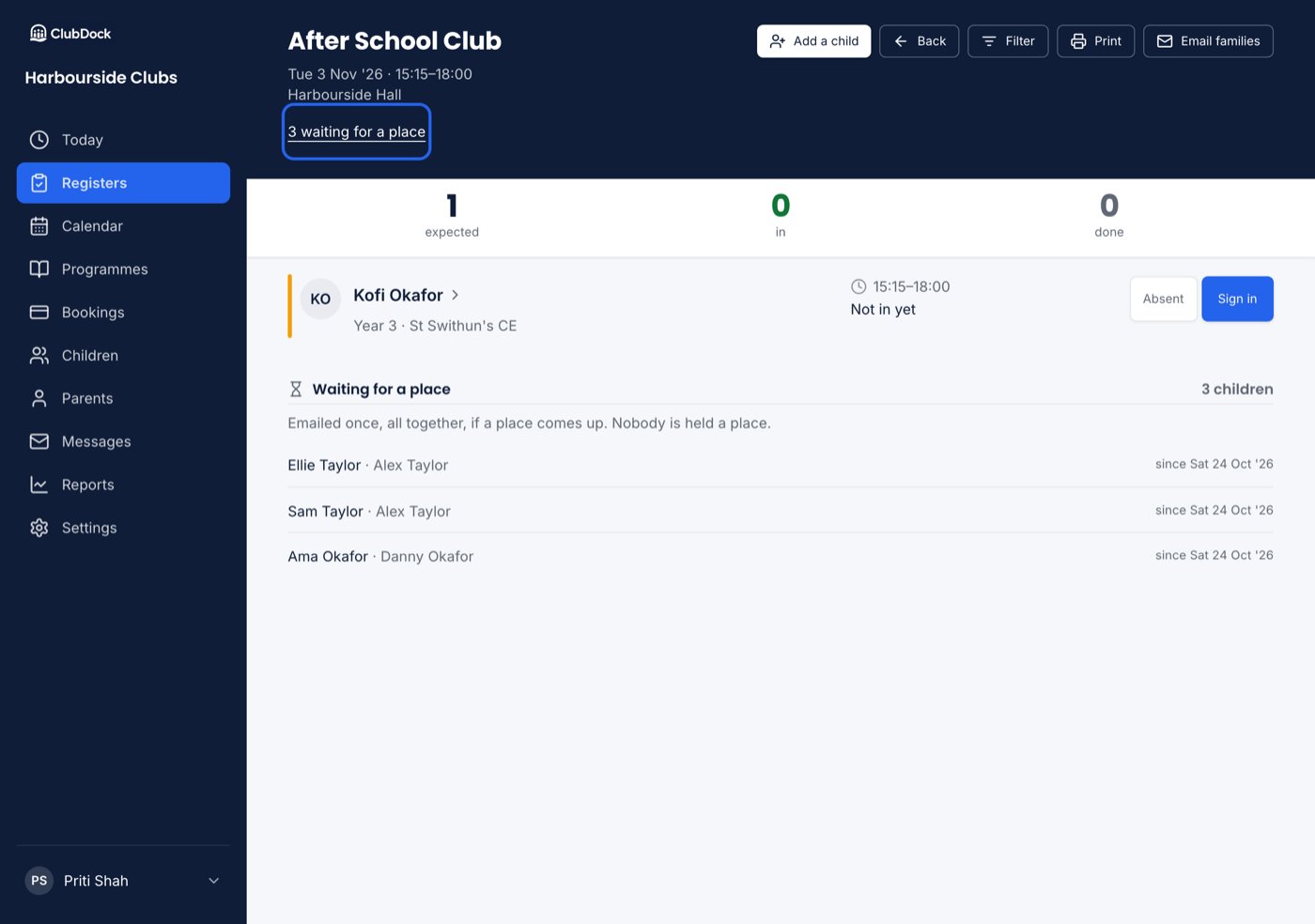
- On the register for that date: “3 waiting for a place” under the session’s details, and at the foot of the list who they are, which parent, and since when.
- On the calendar: a session with children waiting says “3 waiting”.