

An accounting outage never stops a parent booking. The booking is confirmed as usual and sent once your software can be reached.
How you find out
- A morning email to your Managers, saying how many invoices, credit notes, card or Tax-Free Childcare payments, or payout fees have not reached your accounts, that nothing is lost, and where to fix it. Nothing is sent on a day with nothing wrong.
- The Today page shows the same count, linking to the bookings list already filtered to the problems.
- The bookings list. In Bookings, filter by accounts to Sync problems. Each booking’s badge reads Sync problem rather than In your accounts.
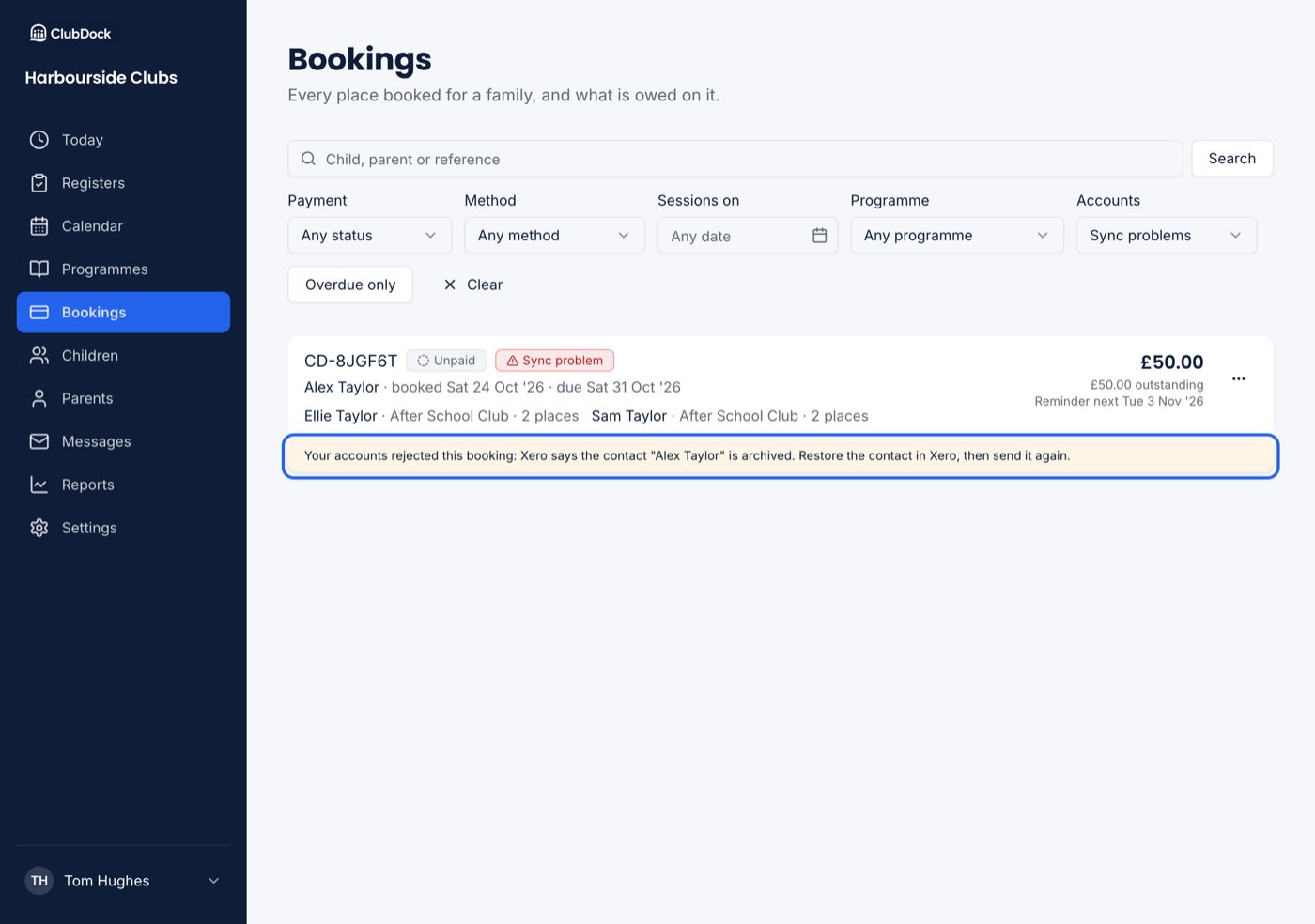
What the message means
Each booking in the list says what is stuck and the reason your accounting software gave:
Payout fees belong to no booking, so they are not in the list. They are sent when you choose where Stripe’s fees go, under Settings → Accounting.
Send a booking again
1
Fix the cause
Usually in your accounting software, or by choosing a missing account under Settings → Accounting.
2
Refresh the booking
Open the booking’s menu and choose Refresh from accounts. You see “Refreshing this booking from your accounts. This takes a moment.” and the booking reads Refreshing until the answer comes back.
3
Check it has cleared
The invoice is sent again, every payment still waiting is applied to it, and the booking leaves Sync problems. If the cause is not fixed yet, it stays in the list with the same reason.
Could not refresh this booking appears only if the refresh could not be asked for at all, such as a dropped connection. Try again shortly.