

Only a Manager can set up charges or add one to a booking. Staff record a late collection at the door, and a manager decides whether to charge for it.
Set up your list of charges
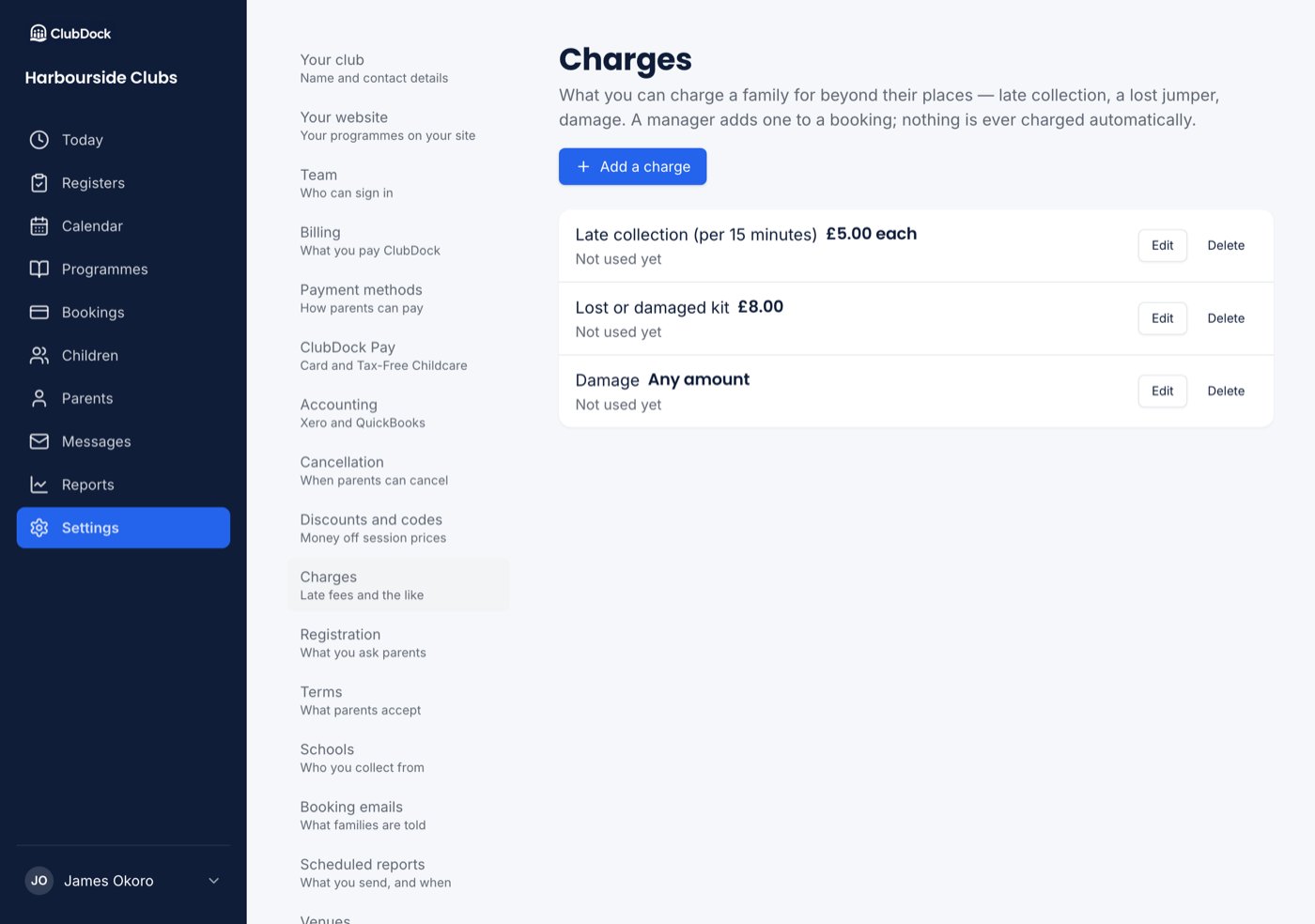
Go to Settings → Charges and press Add a charge.1
Name it
The name is what the family reads on their booking, their receipt and the invoice. For example, “Late collection (per 15 minutes)”.
2
Choose how it's priced
Under How is it priced?, choose:
- A set amount, such as £8.00 for a lost jumper.
- An amount for each one, such as £5.00 per 15 minutes of late collection. Each one is is optional, and shown beside the number when a manager charges it.
- Any amount, typed in each time, for things like damage.
3
Enter the amount and save
For a set amount or an amount for each one, enter it. Make sure Can be charged is on, then press Save.
Change, retire or delete a charge
- Change a name or price at any time. Families already charged keep the name and amount they were charged.
- Delete a charge nobody has been charged for.
- Retire a charge that has been used. It can’t be chosen any more, and families charged for it keep it under its old name. Bring back undoes it.
Add a charge to a booking
1
Open the booking
Find it under Bookings, open it, and choose Add a charge from its menu. It isn’t offered on a cancelled booking.
2
Choose what to charge for
Under Charge for, pick from your list. For an amount for each one, enter How many, from 1 to 99. For any amount, enter the Amount, up to £10,000. You can add a Note the family will read, such as “Collected 18:25”.
3
Check what it will do
Before anything is charged, ClubDock shows what happens: “The booking’s total becomes £153.00, and the family will owe £10.00”, and how much of their account credit would pay towards it.
4
Press the charge button
It names the amount, such as Charge £10.00.
What happens next
- If the family has account credit, it pays the charge straight away, oldest credit first.
- A booking that was paid now reads Part paid, owing the charge.
- The family is emailed that their booking has changed: what was added, what they now owe, and See what you owe and how to pay. Your club gets a copy.
- An unpaid charge is chased like any balance: reminders on your schedule, and it shows under Owed to you. See Money owed to you.
A family with no booking can’t be charged. Charge one of their bookings.