

- At checkout, through HMRC. The money goes straight from the child’s account to your club, and the places are booked once HMRC accepts it. This needs ClubDock Pay and your Ofsted details.
- Afterwards, by the parent. The places are booked straight away. The parent then pays you from their childcare account on GOV.UK, quoting the child’s reference.
Only a Manager can change these settings.
Before you start
- Your club is registered with Ofsted, or with another UK childcare regulator.
- Your club is set up as a childcare provider in the Tax-Free Childcare service, so parents can add you to their accounts.
Take Tax-Free Childcare at checkout
1
Enter your registration details
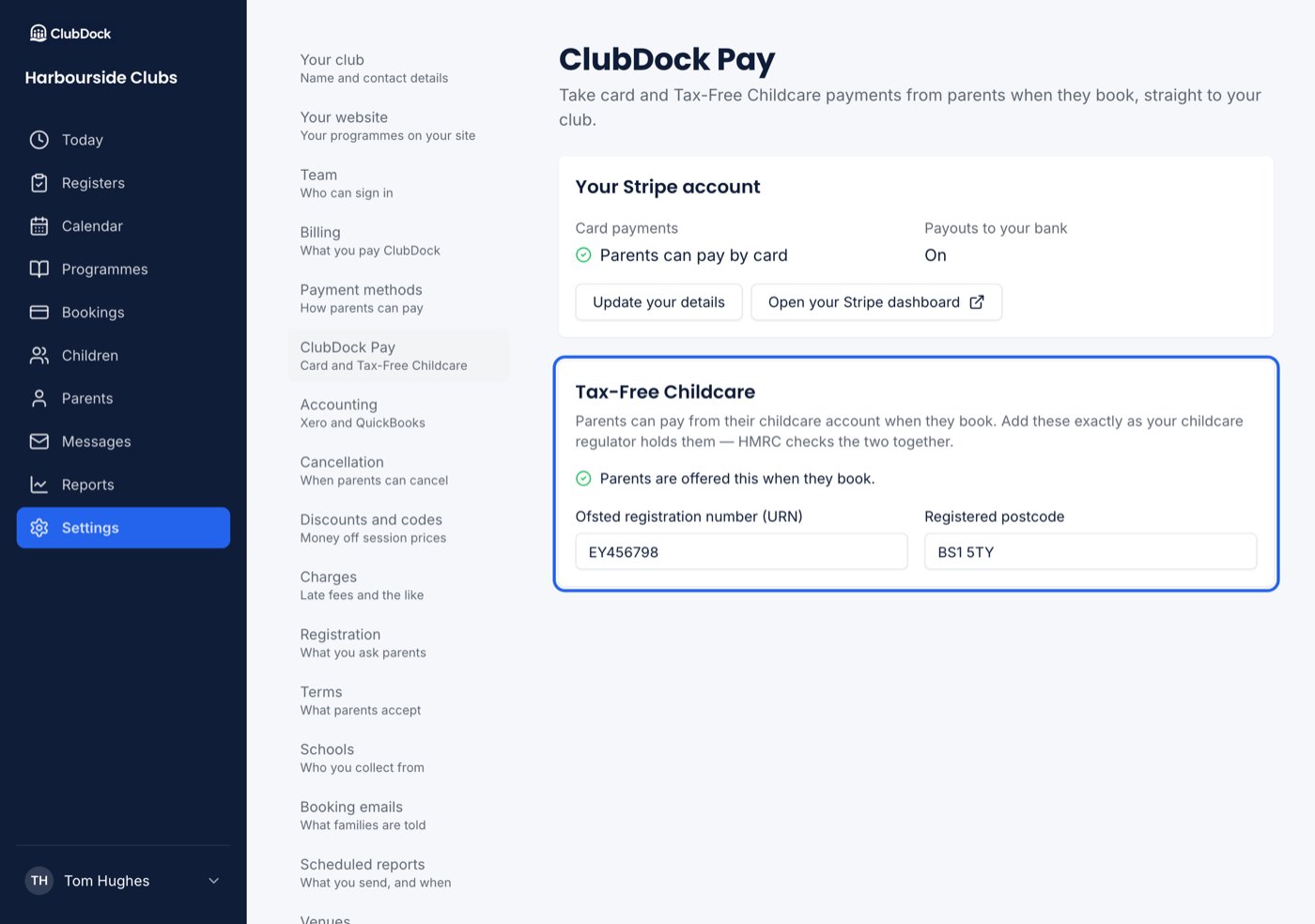
Go to Settings → ClubDock Pay. Under Tax-Free Childcare, enter your Ofsted registration number (URN) and Registered postcode exactly as the regulator holds them, then press Save details.
2
Switch the method on
Go to Settings → Payment methods, switch on Tax-Free Childcare, and write the instructions parents should follow if they pay you themselves later. Press Save changes.
What ClubDock checks when you save
- Something that cannot be a registration number, such as “applied for”, is refused with an example of what one looks like.
- Registration numbers from regulators outside England are accepted.
- Something that is not a UK postcode is refused. A BFPO number is accepted.
- Filling in one of the two and not the other is refused, because HMRC needs both.
- Both are saved the way the regulator and the Post Office write them, so
ey456798becomesEY456798andab12cdbecomesAB1 2CD.
What a parent sees
A parent who chooses Tax-Free Childcare is offered both ways, side by side:- Pay now, straight from your childcare account: taken through HMRC, booked once it goes through.
- Book now, pay from your childcare account later: nothing taken, booked straight away.
- Tax-Free Childcare pays the whole booking. If it cannot cover it, nothing is taken, and the parent books now and pays from the account later, or chooses another way to pay. It is never split with a card.
- Each child’s account pays for that child’s places. Two children on one booking means two payments, one from each account.
- HMRC refuses the payment (for example, your club is not yet on their childcare account): nothing is booked and nothing is taken, and the parent is told why.
When HMRC does not recognise your details
If HMRC refuses a payment because your registration details do not match its record:- Paying from Tax-Free Childcare at checkout stops being offered straight away, so the next parent is not refused in the same way.
- Your Managers are emailed with what was refused, that parents can still pay from their childcare account themselves, and where to fix it.
- The ClubDock Pay page says HMRC does not recognise the details.
Matching payments parents make themselves
When a parent pays you from their childcare account later, the money arrives in your bank from HMRC. Match it using the child’s Tax-Free Childcare reference, then record the payment on the booking as Tax-Free Childcare.With Xero or QuickBooks connected, each child’s Tax-Free Childcare reference is on their invoice line, so you can match HMRC’s payment there. See What reaches your accounts.