

Only a Manager can see Billing or save a card.
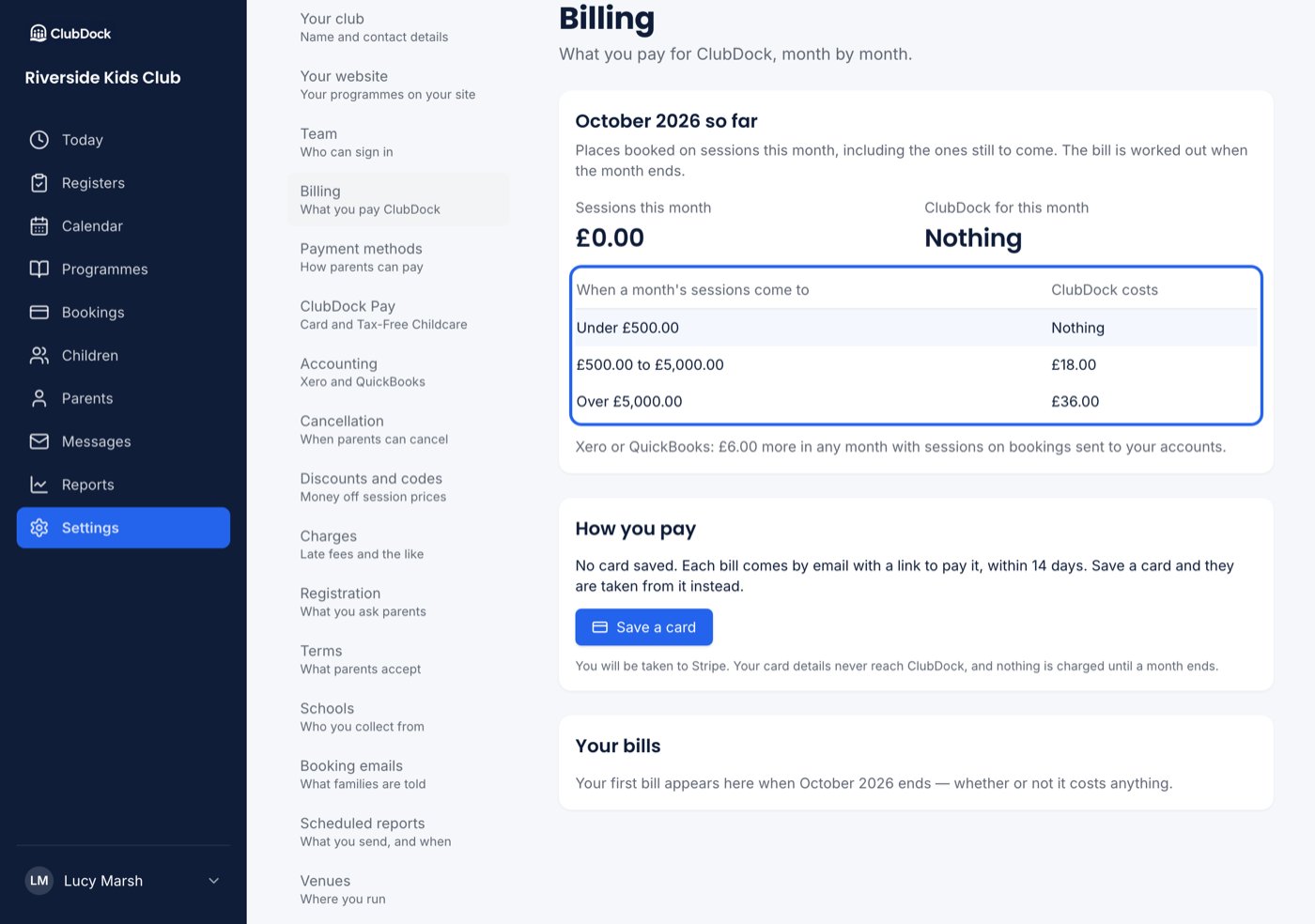
What a month costs
Every price includes card payments and Tax-Free Childcare through ClubDock Pay, and every venue, child and member of staff.
Xero or QuickBooks adds £6.00 in any month that has sessions on bookings sent to your accounts, whichever band you’re in. See Connecting Xero or QuickBooks.
What counts
- Places booked through ClubDock on that month’s sessions, including any options or extras at the price the parent agreed. A term booked in August counts in each month its sessions run.
- A place cancelled before the month ends doesn’t count. A month is closed once it’s billed, so a later cancellation doesn’t change the bill.
- While you run your old system alongside, only what runs through ClubDock counts.
The Billing page
- Sessions this month — what places on this month’s sessions come to so far, including sessions still to come, and which band that puts you in.
- How you pay — the card bills are taken from, with Save a card or Change card.
- Your bills — each month, with Nothing to pay, a due date and Pay, or Invoice once it’s paid.
Paying your bill
When a month ends:- With a card saved, the bill is taken from it. Managers are emailed what your sessions came to, what was taken, and a link to the invoice and receipt.
- With no card, managers are emailed the bill with a link to pay it within 14 days. The bill shows Pay.
- If the card is declined, the bill stays unpaid with the same link and date.
If a bill is overdue
While your club is read-only:
Once the bill is paid, your club can make changes again straight away.