

What to set up first
See Club details and Sites.
What the receipt shows
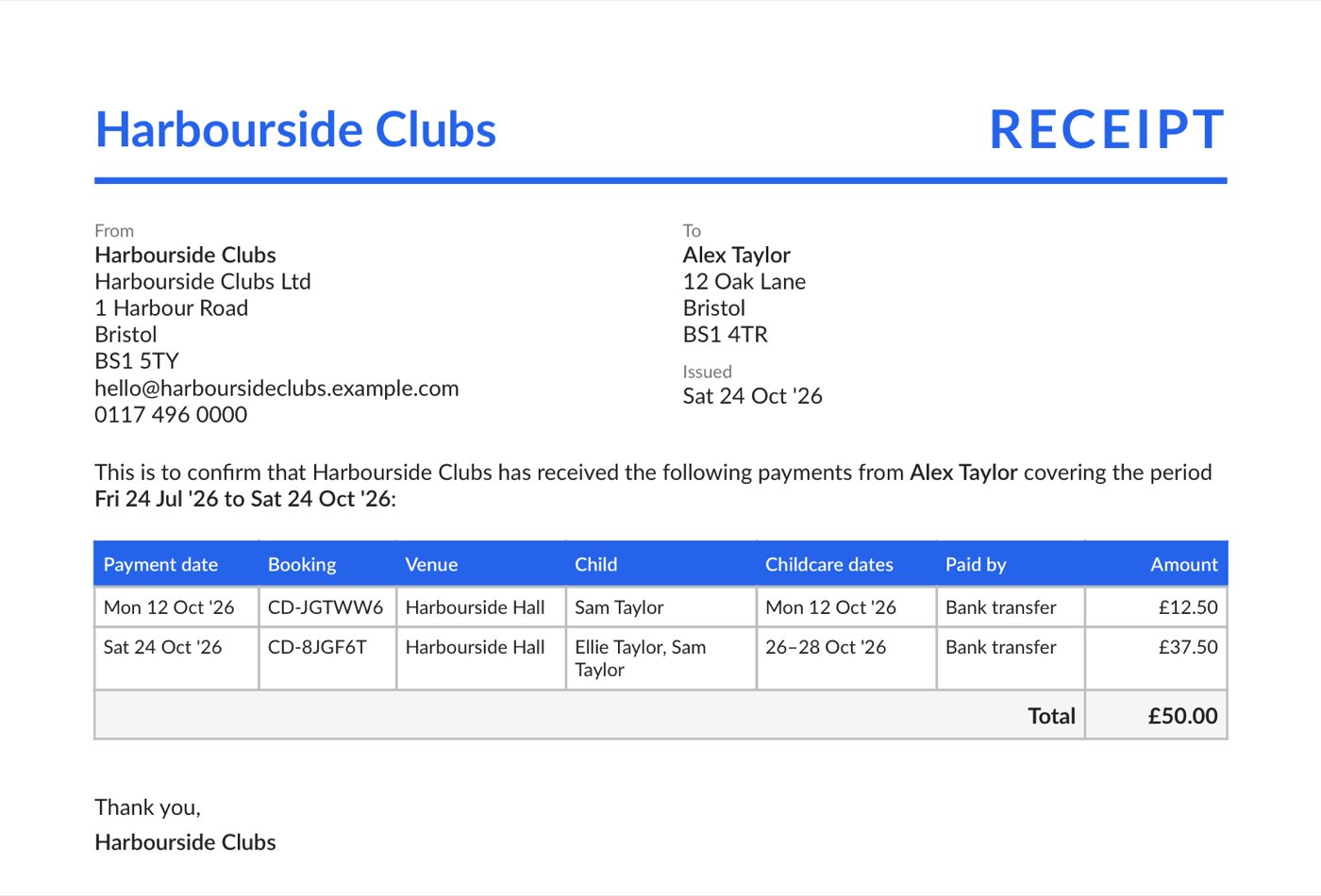
- RECEIPT, your details, and who it is to: the parent’s name and address.
- “This is to confirm that your club has received the following payments from the parent covering the period…”
- One row per payment: Payment date, Booking (the reference on their booking), Venue, Child, Childcare dates, Paid by and Amount, then a Total.
- It ends “Thank you,” and your club’s name. ClubDock is named once, in the small print.
How payments are counted
- One payment settled two bookings. Two rows, one per booking.
- One booking for two children. One row naming both.
- A booking paid in two parts, such as Tax-Free Childcare and then card. Two rows, each with its own date and method.
- Money refunded in the period. A negative row on the day it was paid back, marked Refund, Refunded to card or Refund of account credit. The total is what your club kept.
- Credit spent on a later booking. Not counted twice. The money arrived once, when the first booking was paid.
- A paid booking later cancelled. Its payment is still listed, because you received it, unless it was refunded.
- Nothing paid in the period. Still a receipt, saying “No payments were received from the parent in this period.”
How a parent downloads one
Point a parent to Downloading a receipt. In short: on Your bookings, the Payment receipts card offers From and To dates, set to the last three months, and Download receipt. The PDF saves to their device.Staff cannot download a receipt for a parent. If a parent cannot sign in, help them sign in first. See Signing in.