

Only a Manager can set prices.
Set a session’s price
Prices are on each session card on the programme’s dates page. Open the programme, press Edit dates and prices, and enter the Price on each card. See Sessions and dates. Parents always see a price as the price of one session: “£12.50 a session”, or “From £22.00 a session” when sessions cost different amounts. On the programme page, the figure sits under Price per session.Add an early bird price or a sale
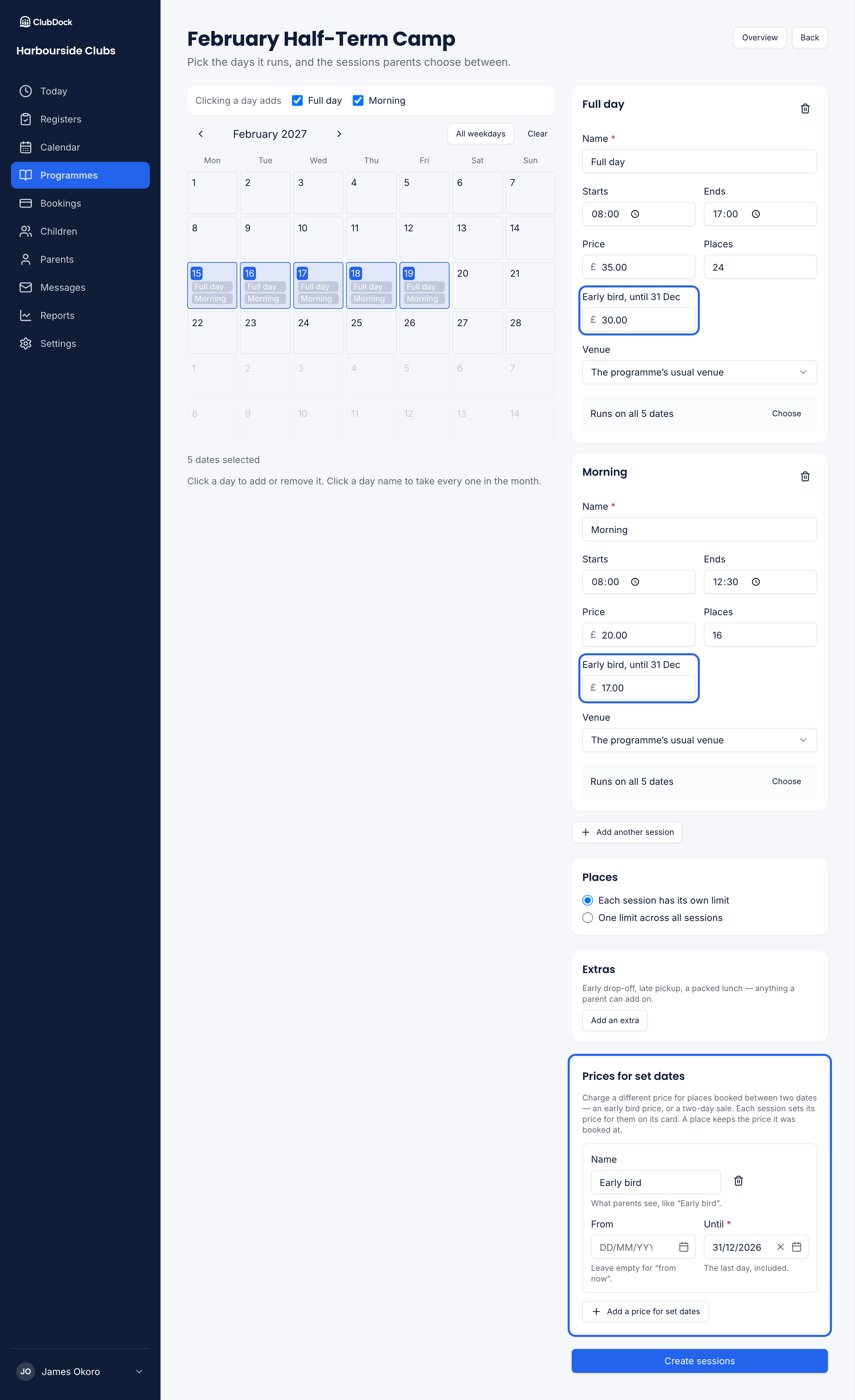
Use Prices for set dates, below the session cards. Say you charge £30 a full day and £15 a half day, but £28 and £14 if parents book before 1 October:1
Press Add a price for set dates
Under Prices for set dates, press Add a price for set dates. Give it the Name parents will see, such as “Early bird”.
2
Choose its dates
From is optional: leave it empty to start from now. Until is the last day, included.
3
Enter a price on each session card
Each card gets a box for “Early bird” beside its usual price. Leave a card’s box empty to keep its usual price for the period.
4
Save
Press Update sessions. The summary says what will change before anything is saved.
What parents see
Your club page shows today’s price with its end date beside it: “£28” with “Early bird until 1 Oct”. A period with no name says “Offer price until 1 Oct”. Once the last day has passed, the usual price shows with nothing more. A sale that hasn’t started yet isn’t mentioned.Rules
- The price is what was paid when booked. A price for set dates applies to places booked during its dates. Places already booked keep the price they were booked at.
- Overlapping periods. On a day when two periods both apply, such as a sale inside the early bird period, a place costs the cheaper of the two.
- Higher prices are allowed. “£38 for places booked in the last week” is charged as set. Not every price for set dates is a discount.
- At least one price. A period that no card gives a price is refused: “Give ‘Sale’ a price on at least one session”.
- Dates in order. A period must end on or after the day it starts, and must have a last day.
- Five at most. A session can carry up to five prices for set dates.