

Only a Manager sees Parents in the menu. A parent’s record stays open to staff, through the child’s record and the bookings list.
The tiles
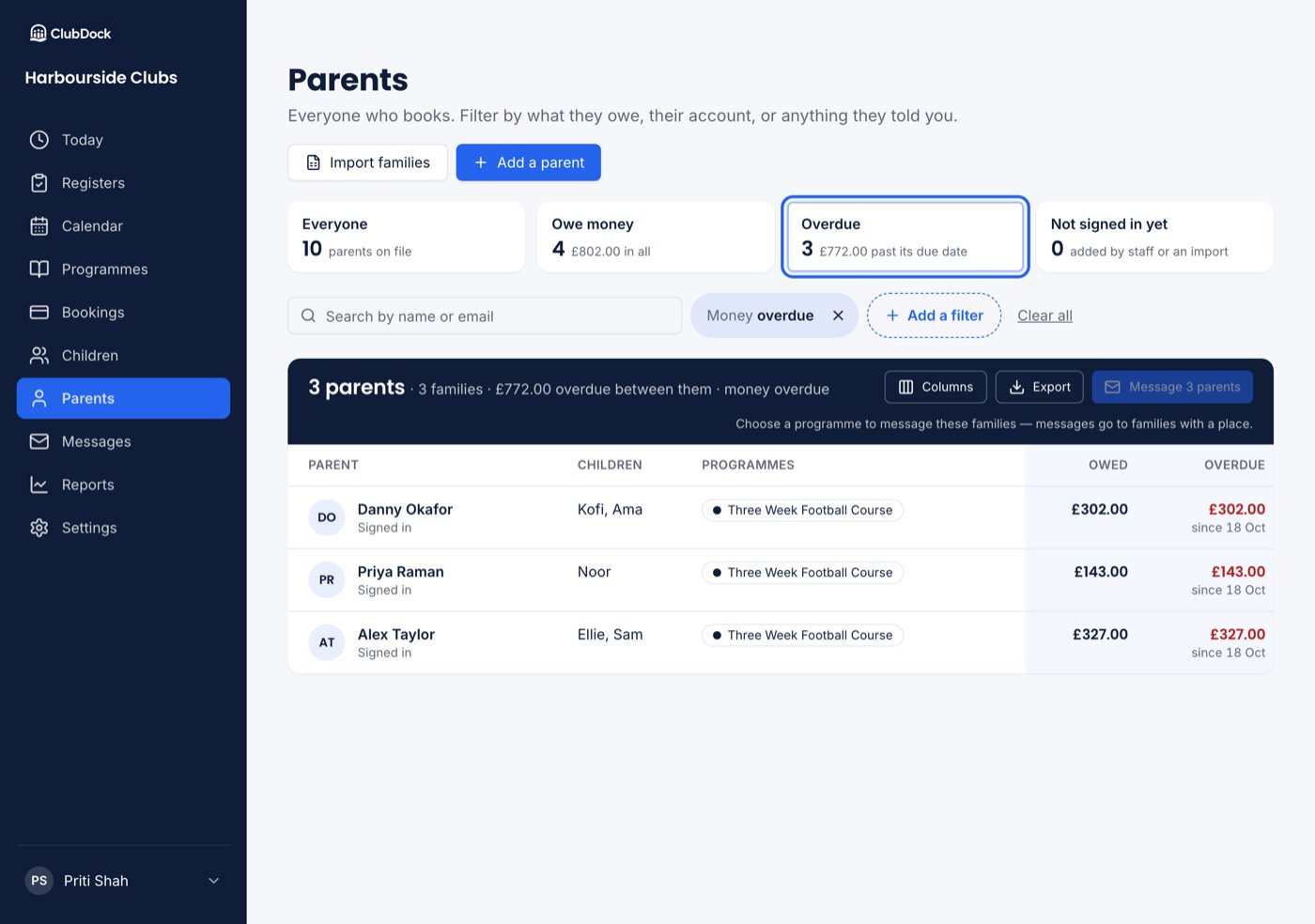
Four tiles across the top, each with a count:- Everyone — every parent on file.
- Owe money — and how much in all.
- Overdue — and how much is past its due date.
- Not signed in yet — parents added by staff or an import who have never signed in.
Filters
Press Add a filter for every field, grouped into Money, Bookings, Account, Children and your own questions.
“Overdue” is judged by the date in the UK. A bill due yesterday is overdue from just after midnight.
Reading the list
Each row shows the parent and whether they have signed in, their children, programmes coming up, what they owe (with any credit beside it), and what is overdue with the earliest due date. The navy bar above a filtered list says how many parents and families it holds, and the money overdue or owed between them. Columns, Export and Message work as on the Children list.Export
Export downloads every parent the filters match: name, email, phone, signed in, children, programmes, owed, overdue, overdue since, credit, and the columns on screen. If the file includes answers to your own questions, you are asked to confirm first. Every export is recorded.Message the parents
Message 5 parents (or however many) writes to the parents on the list themselves, not to every parent of their children. Choose a programme in the filter first, because messages go to families with a place. If a message is scheduled, the list is worked out again when it sends: a parent who pays before then is no longer overdue and is not sent it. See Messages.Add or import parents
- Add a parent — add one family yourself.
- Import families — bring families across from a spreadsheet. See Importing families.
When the list is empty
- Nobody matches that — press Clear search and filters.
- No parents yet — parents appear when they register. Add one, or import a spreadsheet.