

Only a Manager can change a programme’s dates.
You see what it does first
When you save a change to dates that families have booked, a preview opens first. It says how many sessions it creates, changes, cancels or deletes, and how many booked children are affected. Only the sessions you actually changed are counted. Press Cancel in the preview and nothing changes.Changing a time or price
- A new time. The time updates and every booking stays. Parents are not emailed automatically: tell them in your own words, using Email families on the register or Messages.
- A new price. Existing bookings keep the price they were bought at. Only new bookings pay the new price.
- Fewer places than are already booked. The whole change is refused, naming the session. Nothing is partly applied.
Cancelling a booked date
To cancel a date, untick it and save. A date with bookings cannot be deleted outright; ClubDock offers to cancel it instead.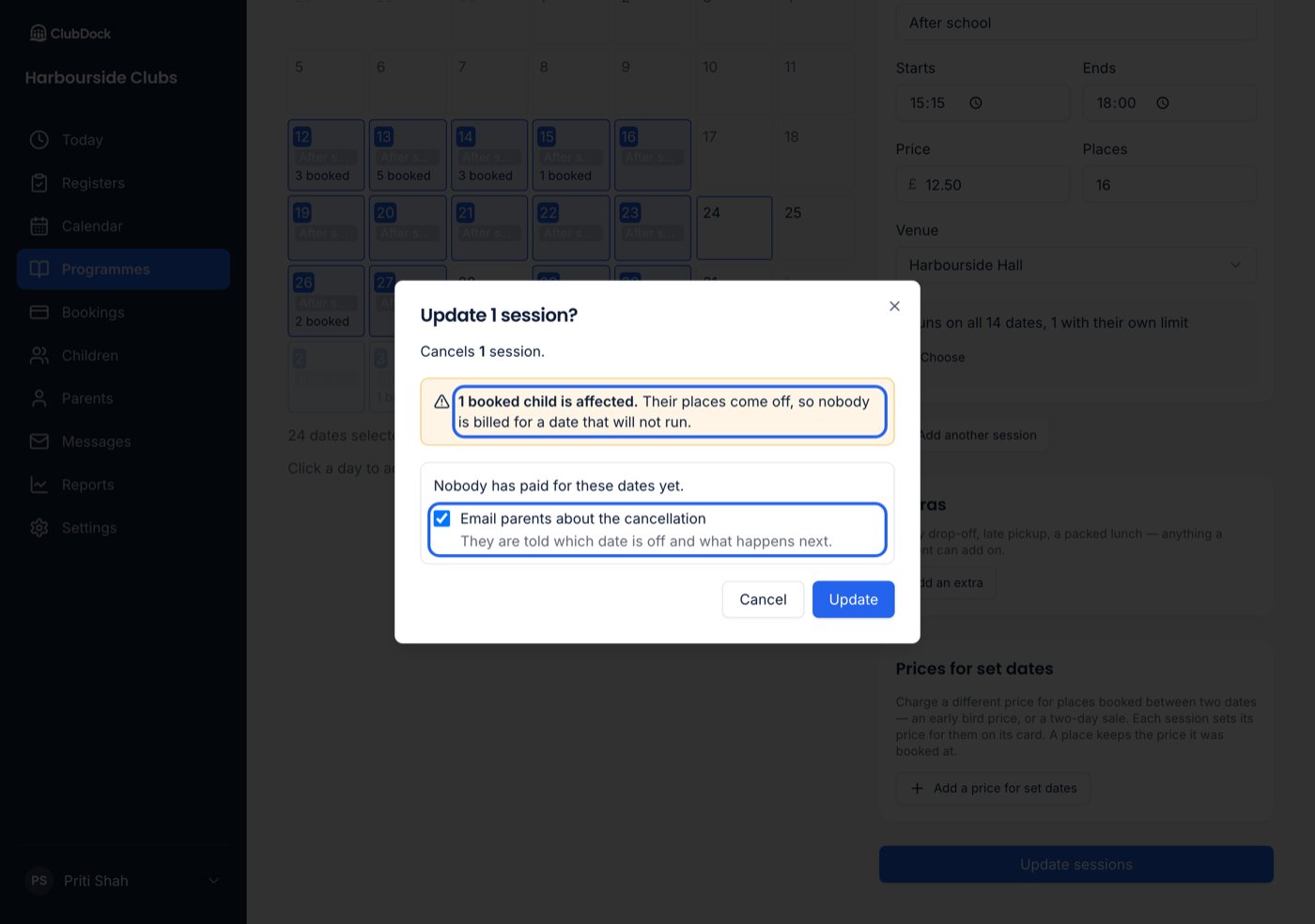
- Send £X back to the cards it was paid with — shown when some of it was paid by card through ClubDock Pay, and ticked to start with, because the club is the one cancelling. Stripe refunds it from your Stripe balance, and it reaches parents in 5 to 10 working days. Stripe keeps its original fee.
- Credit £X to the parents — what was paid another way (Tax-Free Childcare, bank transfer, or credit spent at checkout) becomes credit, taken off each family’s next booking automatically. Untick it to settle the money yourself.
- Email parents about the cancellation — they are told which date is off and what happens next.
What parents are told
When you email them, parents are told the club cancelled, which date, and what happened to their money: how much is going back to their card and how much became credit.- A parent with two children on that date gets one email naming both.
- If a child has two parents with separate accounts, both are told the date is off, because whoever collects needs to know. Only the parent who paid is told about the money.
- If a card refund cannot be made, that family’s card money becomes credit instead, and their email says credit.
If the save is refused
- Something changed since the preview — a date filled up, or a session started. Nothing is saved and nothing is cancelled: no place comes off, and nobody is credited or emailed. The page says which date and why, and reloads what is actually stored.
- A session has already started. It cannot be cancelled, and nothing in that save is cancelled either, so you never have to work out which ones went.
- The connection dropped. “The sessions could not be saved. Check the calendar and try again.” Trying again is safe: nobody is cancelled, credited or emailed twice.
After a date is cancelled
- Its waiting list closes.
- Its register is still available, in case children attended before it was called off.